

How Digital and Offset Printing Build Color Differently
Get this straight first, otherwise you won't know where the color shift comes from
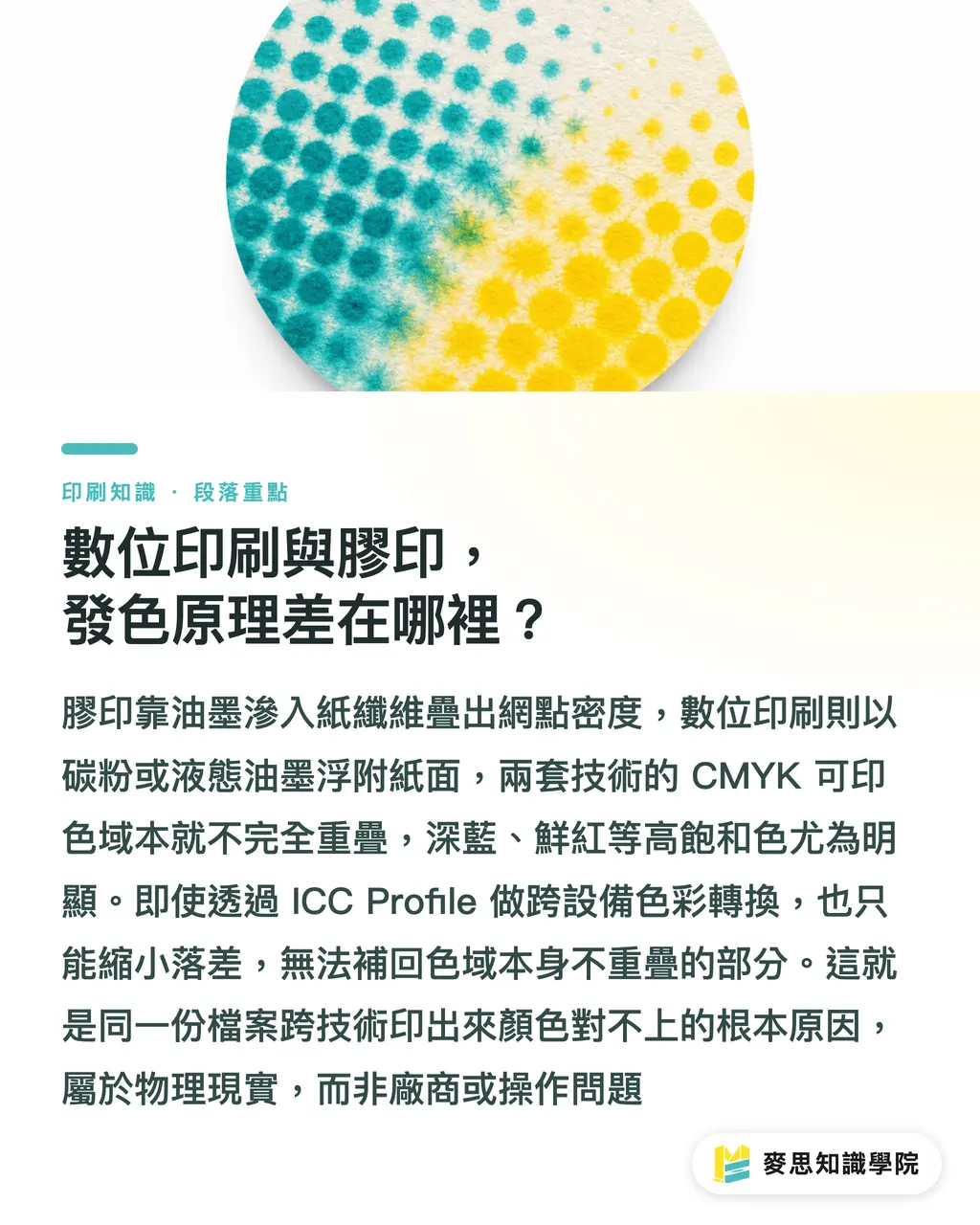
Offset presses use oil-based inks transferred from a plate to the substrate. The ink soaks into the paper fibers, producing a physical effect called dot gain: the halftone dots on the plate spread slightly once they hit the paper, and the final color depth is determined by the dot density of each color plate (C, M, Y, K) laid on top of each other. The whole process is influenced by paper absorbency, ink viscosity, press speed, and ambient humidity, and any one of those variables can nudge the final color off target
Digital printing splits into two camps. Toner-based (electrostatic laser) presses lay down dry powder that fuses to the paper surface with heat, never sinking into the fibers, and the look diverges sharply from offset on dark solids or specialty stocks. Liquid toner (HP Indigo is the most common example) comes closer to offset's color logic and sits in a nearer gamut, but still not identical
The core issue: the two technologies' CMYK gamuts don't fully overlap. Offset has a natural edge on deep blues and vivid reds; digital presses tend to hold steadier batch consistency on certain mid-tones. This isn't a printer problem, it's just physics. The industry standard for cross-device color consistency is to convert between machines using ICC Profiles (the International Color Consortium's device color descriptors), but conversion has its limits, and the parts of the gamut that don't overlap can't be reconstructed through conversion alone
That's why "same file, different output, colors won't match across technologies" is almost impossible to avoid
Why Small Reprints Are the Most Likely to Show Color Shift
It's not just a cross-technology problem. Even if the first run and the reprint use the same printing method, batch-to-batch color shift can still show up, and the failure points are almost always the same:
・The printer quietly swaps the technology: the test batch runs on digital, but when the reprint comes in, the printer decides the volume is now big enough to justify offset, and the two technologies build color differently, so shift is almost guaranteed. If the contract doesn't specify which technology must be used, the printer has room to decide on their own
・No measurement data was kept from the first run: all that's left is a visual sample, but different lighting conditions or subtle aging of the sample turn color matching into a subjective he-said-she-said argument. CIE Lab values are device-independent absolute numbers, unaffected by light source or viewing angle, and that's the real basis for cross-batch comparison
・The press condition isn't locked down: on the same digital press, a fresh toner batch, a drum nearing the end of its wear cycle, or a big swing in shop humidity can all shift the color. Offset presses need scheduled calibration, and operators on different shifts have different ink-mixing habits, so the output can drift between them
The problem isn't hard to find. I've seen plenty of reprint color-shift disputes, and nine times out of ten they hit the second wall: no measurement data was kept from the first run, so by the end both sides are left squinting at samples. The human eye judges wildly differently under different light sources, and the argument usually stops being about how bad the shift is and starts being about whose eyes are more accurate
What G7 and PSO Certifications Actually Solve
These two certifications start from different places, and buyers need to know which one to ask a printer about
G7 is a calibration method developed by IDEAlliance (the International Digital Enterprise Alliance). Its core purpose is to align grayscale balance and tonal response across different output devices (offset presses, digital presses, inkjet proofers) so that neutral gray looks as close to identical as possible coming out of each one. The logic: if grayscale is aligned across devices, most color reproduction will fall into line too. A printer with G7 Master certification has demonstrated the ability to keep grayscale consistency across different machines, which is especially valuable for buyers who need to reprint across technologies
PSO (Process Standard Offset) is a European standard managed by FOGRA (the German printing research association) and built on ISO 12647-2, aimed at offset workflows. The certification requires that the printer's color values (measured in CIE Lab) hit the specified targets, with regular sample submissions for audit. It's the most common color quality backing you'll find among high-end European offset shops
The call is pretty straightforward: primarily offset, go PSO. If the same printer has to run both digital and offset and keep the two aligned, G7 gives you better cross-device assurance. When you're asking for a quote, bring this up. A printer who can clearly state their certification status, what measurement equipment they use, and how often they calibrate is running a real color management operation. One who can't answer, or just says "our master printer handles it by eye" is a gamble on any reprint

The "Cross-Batch Color Passport" to Build at First Run
Once the first batch is done, do these four things right away. Skip any one and the next reprint can collapse back into a he-said-she-said situation. Following the standard process Mai Strategy Knowledge Academy uses when helping brand clients build procurement specs, the four steps should be wrapped up within a week of receiving the first production run:
① Request and sign off on a Press Proof: before full production, ask the printer for a machine proof, and pay attention here, it must come off the production press, not from a digital inkjet proofer. Digital proofing uses inkjet to simulate the print result, and its ability to simulate is limited on specialty stocks or dark solids. A Press Proof reflects real production color. Both sides sign the proof and keep a copy, this is the "zero point" for every reprint that follows
② Measure key color values and file them in writing: ask the printer to provide, or hire someone to take, CIE Lab readings of your brand colors (Logo color, main visual background) with a spectrophotometer, along with the measured ink density values for each CMYK channel. Lay it out in a single-page table, keep the format simple, the goal is that any printer can read it and compare against the numbers
③ Photograph the proof under a D50 standard light source: D50 is a 5000K standard viewing light, the agreed color-matching environment in the printing industry. Photograph the proof under this light for visual reference, but it's only a reference, the Lab values are the main reference, don't flip that order
④ Specify it in the contract or PO notes: require that reprint jobs use the same printing technology (digital or offset), the same paper spec, and a color tolerance of ΔE ≤ 3 (standard commercial printing) or ΔE ≤ 2 (premium printing)
That's all four steps. This document is your Cross-Batch Color Passport. Bring it to any printer for a reprint and they'll know exactly what standard to hit, no need to start from scratch every time
How to Use ΔE Numbers When You're Accepting a Job
ΔE is the unit for measuring color difference, the smaller the number, the closer the match, and it's the only objective language for cross-batch acceptance. The human eye's discrimination threshold sits around ΔE 2 to 3
A practical breakdown:
・Under ΔE 1: practically invisible to the naked eye, reaching this level takes strict color management
・ΔE 1-2: only a trained color specialist will notice, suited to premium printing or core brand identity materials
・ΔE 2-3: acceptable range for general commercial printing, consumers usually can't tell
・ΔE over 5: clearly visible shift, this is a rejected batch and should be reprinted
When accepting a job, ask the printer to provide a color measurement report for the reprint batch, with measurements taken at the same locations as the first run. Or bring your own spectrophotometer and compare on the spot. If the printer has no measurement gear and can't provide numbers, that's a warning sign in itself, and if a color dispute breaks out, there's no shared evidentiary foundation to work from
Put the ΔE number in the contract and name the type of measurement instrument or the standard to use. That's the real way to protect yourself. Whether a printer can hand over measurement numbers is also a solid filter for long-term partners

Key Takeaways
・Digital and offset gamuts don't fully overlap, so cross-technology reprints carry inherent color shift risk. Decide which technology you'll use long-term before the first run and lock it into the contract
・The Press Proof is the color-matching zero point for every reprint. It must come off the production press before full production and be signed off by both sides
・Measure and record CIE Lab values of brand colors at first run. That's the only objective basis for cross-batch comparison. Visual samples won't hold up when there's a dispute
・G7 certification fits scenarios that span digital and offset. PSO certification is aimed at offset. Asking about a printer's certification status at the quote stage is a way to filter out shops that color-match by eye
・ΔE ≤ 3 is the standard acceptance threshold for commercial printing. Put that number in the contract, so acceptance doesn't become a subjective argument
Where to Go From Here
What buyers can do should be done at the first PO. The cost of fixing it later, reprint fees, time lost to printer disputes, damaged brand visual consistency, usually runs far higher than just getting it right from the start. Build color shift management into the spec sheet at the quote stage: ask the printer whether they hold G7 or PSO certification, what equipment they use to measure color, and whether they can commit to a ΔE tolerance. A printer who can answer all three clearly usually has substance behind them. On the choice between digital and offset, settle the production path before the test volume is decided, because trying to undo cross-technology color shift after production has started is almost always too late. Questions about color management standards or building a print procurement spec, feel free to reach out to the Mai Strategy Knowledge Academy consultant team
FAQ
- If I reprint a small batch on digital, will it always shift from the first run?
- Not always, but the risk is higher than with offset. Digital color stability is affected by toner batch, drum wear, and press calibration. A printer with regular G7 calibration can usually hold same-press reprint shift within ΔE 3. Without a calibration routine, batch shift gets unpredictable
- What's the difference between a Press Proof and a digital proof, and why use the former?
- Digital proofs use inkjet to simulate print output. They're fast and cheap, but the simulation breaks down on specialty stocks, dark solids, or spot colors. A Press Proof is produced on the actual production press and reflects real production color, making it the formal reference point for accepting subsequent reprint batches
- What's the difference between G7 and PSO certifications, and which should I require from a printer?
- G7 is run by IDEAlliance and covers cross-device color alignment between digital and offset. PSO is managed by FOGRA under ISO 12647-2 and is aimed at offset workflows. If your printer mainly runs offset, PSO is more direct. If the same printer needs to run both digital and offset and keep the two aligned, G7 gives you better cross-device consistency
- What's a reasonable ΔE acceptance threshold?
- ΔE ≤ 3 is enough for general commercial printing, consumers usually won't notice shift within that range. For higher brand identity requirements (premium packaging, corporate identity materials, business cards), specify ΔE ≤ 2. Anything above ΔE 5 is visibly off and should be treated as a failed batch and reprinted
- A printer says they rely on a senior master printer and don't need certification. Is that acceptable?
- A master printer's eye can be very accurate, but the problem is there's no measurement record to cite as evidence. When a color dispute hits, both sides are left comparing by eye, and the result is usually subjective. Require the printer to provide Lab measurement reports for reprint batches and put the ΔE tolerance in the contract, so acceptance has an objective basis, and there's paperwork to fall back on if something goes wrong
Related articles



The Print × AI weekly
The print and AI know-how designers, brands and enterprises can use before they commit — one email, every week
Tool Library
RGB↔CMYK conversion, ΔE color difference and brand color print analysis — free color management tools, computed right in your browser.
MINDS Group
Need actual printing or gifting services?
From premium printing to online ordering and festive gifts — the MINDS Group sister brands take it from here.