
Introduction: Problem Statement and Research Contribution
・The discrepancy between screen colors and print colors is the most common and misunderstood source of conflict in design-print collaboration. Most practitioners intuitively attribute it to "uncalibrated screens," "poor printing technology," or "incorrect file setup." However, this article argues that these are merely superficial symptoms. The true root cause lies in the fact that additive screen colors (RGB) and subtractive print colors (CMYK) physically belong to two color gamuts that differ in size and shape. When connected by an improperly managed color management workflow, errors are magnified at every step
・The core question this article aims to answer is: why do vibrant blues, purples, and fluorescent greens on a screen appear noticeably dull or color-shifted when printed? This issue is significant because it involves not just aesthetics, but quantifiable color reproduction errors that directly affect brand consistency, proofing costs, and reprint rates
・This article makes three contributions:
・First, it integrates existing knowledge from three research threads, monitor calibration, printer characterization, and color management standards, into a unified framework explaining why screens appear vibrant while prints appear dull
・Second, it clarifies the respective roles and boundaries of ICC profiles, calibration, characterization, and soft proofing within the workflow
・Third, it translates academic implications into practical workflows for Taiwan's SME printing plants, designers, and brand owners, offering concrete best practices
・For the Taiwanese industry, this topic is particularly urgent. The local printing sector is dominated by small and medium-sized firms, and design outsourcing chains are long. Color management often remains stuck at the level of individual expertise and "gut feeling," lacking cross-device and cross-facility benchmarks. As AI image generation and cloud collaboration push more high-saturation digital imagery into print workflows, the color gamut discrepancy issue will only emerge more frequently
Literature and Current Status Review: Integrating Three Threads
・This section reviews monitor-side color gamut and calibration research, outlines the evolution of printer characterization methods, and finally consolidates the progress in color management standardization to locate the gap addressed by this article
・Physical Definition of Monitors and Color Gamuts. The first layer of evidence for screen discrepancy comes from display research. Sharma's comparison of LCDs and CRTs points out that substantial differences exist in color calibration and gamuts between different display technologies, meaning monitors themselves are not neutral or interchangeable sources of color [1]. This establishes the premise for the entire discussion: the range of colors a screen can present varies by technology and requires calibration to be trusted. In other words, "the color I see on my screen" is a variable that needs defining and controlling, not an objective benchmark
・The Core Difficulty of Gamut Mapping. The second thread addresses the consequences of "unequal color gamuts." When the source gamut (e.g., screen RGB) is larger than the target gamut (e.g., print CMYK), colors outside the target range must be relocated; this is the core of gamut mapping research. Existing literature systematically discusses strategies and trade-offs for gamut mapping between different color spaces [2]. The key insight here is that the discrepancy is not an error that can be completely eliminated, but a transformation process where trade-offs are inevitable; the only difference is who makes the trade-offs, at which step, and based on what criteria
・Evolution of Printer Characterization Methods. The third thread focuses on output-side uncertainty. Early research, such as Herzog's nested gamut shells approach, attempted to more precisely describe the color volume achievable by printers [4]. Subsequently, Zeng and Humet proposed inter-printer color calibration using constrained printer gamuts, aiming to achieve consistency across different printers [3]. The evolution of these two studies is worth noting: shifting from "describing the gamut of a single device" to "constraining differences between multiple devices" reflects the industry's true pain point: it is not just about single-machine accuracy, but reproducibility across machines and locations. This directly corresponds to the frequent question from practitioners: "Why does the same file look different on different printing presses and different paper?"
・Consolidation of Standardization and Industry Practice. The fourth thread is the effort to standardize color management. Accounts from the Fogra color management symposium reflect the progress and discussions in establishing a common color management framework [5]. The significance of standard profiles (e.g., Japan Color, Fogra series) lies in providing a consensus-based definition for "target color gamuts," giving designers' soft proofing and printers' output a common alignment benchmark
・Research Gap. In summary, the four threads of display side, gamut mapping, printer characterization, and standardization are individually mature, but often debated separately from technical or measurement perspectives. There is less discussion on "how designers and SME print shops can integrate these four into a controllable pipeline in practical workflows." This article fills that gap by providing an integrative analysis focused on practical workflows
Core Analysis I: Gamut Differences as the Physical Root Cause of Discrepancy
・This section argues that the first root cause of vibrant screens and dull prints lies in the different sizes and shapes of the two color gamuts
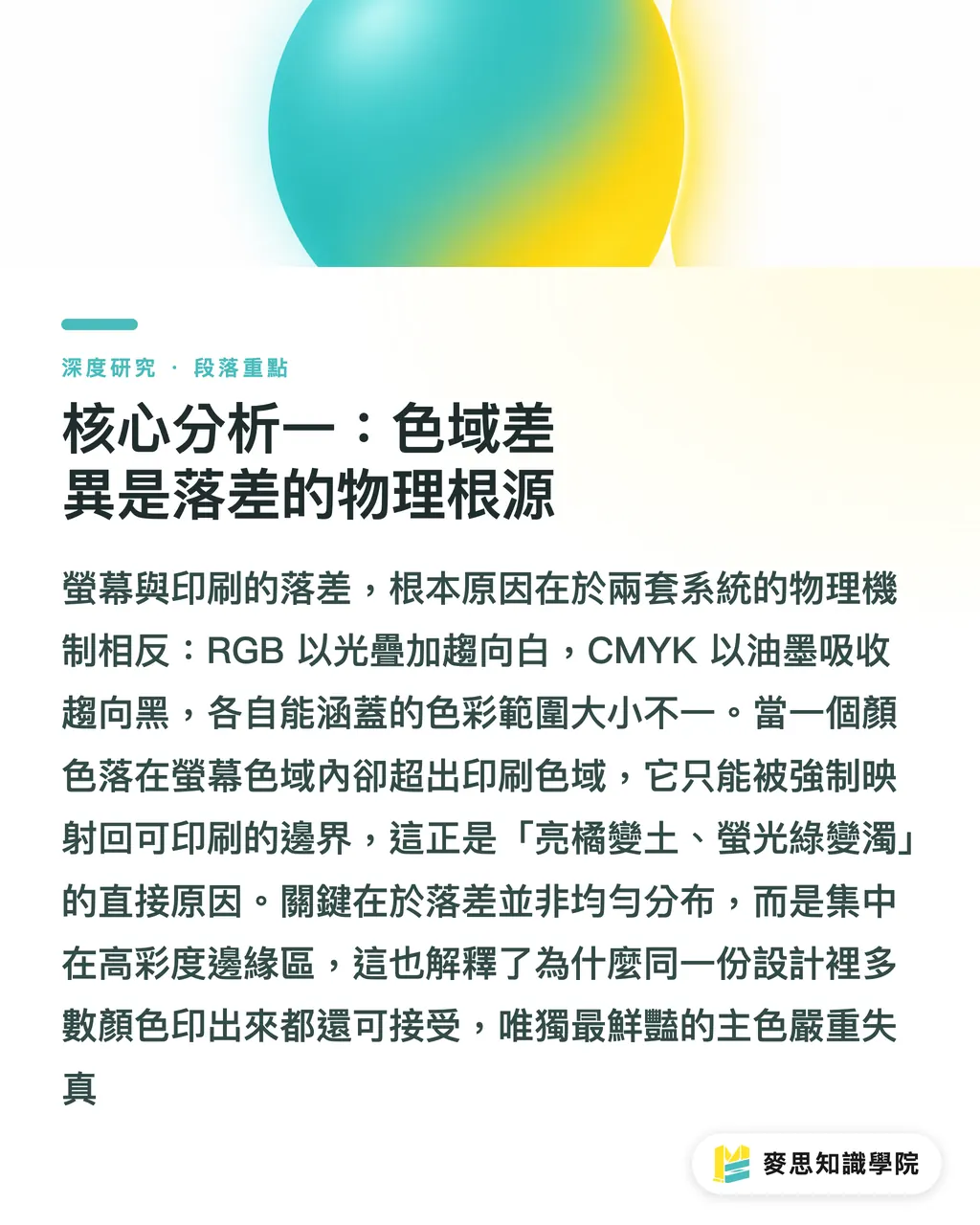
・RGB is additive color; red, green, and blue light are added together, eventually tending toward white. CMYK is subtractive color; inks absorb specific wavelengths of light, and overlapping them tends toward black. The generation mechanisms are opposite, and the color volumes covered differ. This article analyzes that, generally speaking, the screen's RGB gamut is significantly larger than the print CMYK gamut in high-saturation blue, purple, green, and orange regions; this is the most direct explanation for why "bright orange becomes muddy, and fluorescent green becomes dull."
・When a color lies within the screen gamut but outside the print gamut, it has no choice but to be mapped near the boundary of what print can achieve during output. Existing gamut mapping research deals with exactly this problem of "how to place out-of-gamut colors" [2]. Different mapping strategies yield different results: some prioritize preserving hue at the expense of saturation, while others maintain overall tonal relationships by compressing saturation globally. If designers do not intervene in this decision, default conversions often cause the most vibrant colors to become dull simultaneously
・It is worth emphasizing that the degree of discrepancy is not evenly distributed. In areas where color gamuts overlap (most medium-to-low saturation colors, skin tones, earthy tones), the gap between screen and print is actually quite small; the discrepancy is concentrated in the high-saturation regions at the edge of the gamut. This article analyzes that this explains a common phenomenon: in the same design, most colors are acceptable, but only the most "popping" primary colors are severely distorted. Understanding this distribution is a key prerequisite for designers to take preventive action
Core Analysis II: ICC Profiles as Descriptions to Make Discrepancy "Controllable"
・This section explains the role of ICC profiles and how they transform inevitable gamut differences into a manageable process
・An ICC profile is a file that describes the color characteristics of a specific device, essentially answering the question, "What actual color does this device's numerical signal correspond to?" It is supported by two prerequisites: calibration (adjusting the device to a known and stable standard state) and characterization (measuring and describing the color behavior in that state). Sharma's discussion on monitor calibration highlights the necessity of calibration: without calibration, a screen's profile lacks a reliable correspondence [1]
・On the output side, the precision of building printer profiles has long been a research focus. Herzog's nested gamut shells approach aims to more finely map the printer's achievable color volume to improve characterization quality [4]. The more accurately a profile describes a device, the more reliable subsequent color conversion and simulation become
・The true value of an ICC profile lies in allowing the color management system to perform evidence-based conversions between "source profiles" and "target profiles," rather than blindly forcing RGB values into CMYK. This article analyzes that this is the core of the ICC architecture: it does not eliminate gamut differences but turns them into a controllable link with clearly defined input, output, and rendering intent. Without a profile, discrepancies are random; with the correct profile, discrepancies are at least predictable, simulatable, and visible before platemaking
Core Analysis III: Cross-Device and Cross-Paper Inconsistency as the Second Root Cause
・This section addresses the problem of "different colors for the same file on different printers or paper" and argues that this is a second layer of root cause independent of the gamut itself
・Even if the gamut problem is properly addressed, the output will still vary due to printing presses, inks, and paper. Zeng and Humet's research on inter-printer calibration using constrained printer gamuts directly addresses the pain point of "inconsistent output across different printers" [3]. The awareness of this issue demonstrates that cross-device consistency is a goal that requires active constraint, not something that happens naturally
・The influence of paper is often underestimated. The whiteness of the paper, whether it is coated or uncoated, and its ink-absorption characteristics change the final color and gamut size; the same set of CMYK values printed on coated versus uncoated paper may yield significantly different results. This is why the industry configures different profiles for different printing conditions (paper types, printing standards). The significance of standardization efforts like Fogra lies in defining "specific printing conditions" as shared and alignable targets [5]
・This article argues that the solution to cross-device inconsistency is not to strive for "all devices printing exactly the same," but to have every device aligned to a common standard color space. When designers use standard profiles like Japan Color or Fogra for soft proofing, and the print shop also calibrates to the same standard, only then do both parties possess a common language. Soft proofing is valid only when based on the two premises that "the screen is calibrated" and "the target profile is known." Without either, screen simulation is just another kind of guessing
Implications for Taiwan's Design and Printing Industry
・This section applies the above theories to three types of roles in the Taiwanese industry and proposes actionable practices
・For SME Print Shops. Taiwan's printing industry is dominated by small and medium-sized shops, and color management often relies on the "feel" of individual masters. Actionable starting points suggested by this article include Three points:
・First, clearly adopt and announce standard printing profiles aligned with your equipment (such as specific Japan Color or Fogra conditions) to give designers an alignment target
・Second, regularly calibrate and re-characterize equipment, as profiles degrade as equipment ages; cross-machine consistency requires active constraint rather than one-time establishment [3]
・Third, establish separate profiles for major paper types, and include "printing conditions" as part of the specification during quoting and communication. The return on these investments is a decrease in proofing back-and-forth and reprint rates
・For Designers. Preventive measures on the design side are the lowest in cost and highest in benefit. Concrete practices include: setting up CMYK working gamuts early in the design phase and aligning them with the target profile of the print shop; actively avoiding out-of-gamut vibrant colors for key colors like brand primary colors, or personally deciding on the gamut mapping trade-offs during file conversion instead of relying on default conversions [2]; and performing soft proofing on calibrated screens to see discrepancies before platemaking. This article analyzes that if designers create with the premise of "colors that can actually be printed" from the source, most later conflicts can be eliminated
・For Brand Owners. The issue of brand color consistency is essentially a cross-media color management problem. Brand owners should establish color specifications covering both digital and print, defining RGB, CMYK, and (when necessary) spot color values for primary colors, and specifying achievable printing conditions. When AI image generation is introduced into brand visual production, generated images are mostly high-saturation RGB, making it even more necessary to have a gatekeeping process that locks brand colors back into the printable range. Documenting color specifications can save the costs of repeated communication and printing errors
Conclusion and Limitations
・This article responds to the core question posed in the introduction: vibrant screens and dull prints have two systematic root causes. The first layer is the physical difference between RGB and CMYK gamuts in high-saturation areas, making out-of-gamut colors inevitably mapped and compressed [2]; the second layer is output inconsistency across devices and paper, which requires active alignment through calibration, characterization, and standard profiles [1][3][4][5]. The role of an ICC profile is not to eliminate discrepancy, but to transform it into a controllable link that is predictable, simulatable, and visible before platemaking
・Limitations of this article should be honestly disclosed:
・First, most cited literature belongs to color science and measurement; the discussion of applying these to practical workflows is the author's analysis and has not been validated by empirical measurements
・Second, the specific magnitude of gamut gaps is highly dependent on the combination of specific monitors, printers, inks, and paper; this article describes them as general principles and does not provide a single quantifiably generalizable value
・Third, the impact of AI image generation on print color management is an emerging issue; existing sources do not directly cover it, so the related discussion is the author's forward-looking analysis
・Future research can advance in two directions: first, establishing a shared standard printing condition and profile database for common SME printing equipment and local paper in Taiwan; second, exploring automated gamut mapping and brand color-locking workflow design when AI-generated images enter the printing process. Both will determine whether color management can evolve from the experience of a few masters into a standard practice that can be scaled and adopted by SMEs
Key Takeaways
・The root cause of vibrant screen designs becoming dull in print is that the RGB gamut is larger than the CMYK gamut; the discrepancy is concentrated in the high-saturation blue, purple, green, and orange regions
・ICC profiles do not eliminate gamut differences but turn them into controllable links that are predictable, simulatable, and visible before platemaking
・The fact that the same file looks different on different machines and paper is a second independent layer of root cause, requiring active alignment through calibration and standard profiles
・Soft proofing is valid only when the screen is calibrated and the target profile is known; without either, it is just guesswork
・Designers can eliminate most later conflicts by creating with "printable colors" from the start and avoiding out-of-gamut vibrant colors
Extended Thoughts
・For print manufacturing, the competitiveness of color management is shifting from "master's intuition" to "alignable standards and shareable profiles." Those who first document and standardize printing conditions will be able to lower proofing back-and-forth and reprint costs. For the design side, embedding CMYK working gamuts and target profiles into early creation processes is the prevention method with the lowest input and highest return. AI introduction brings new variables: generated images are mostly high-saturation RGB, needing a gatekeeping layer to automatically lock brand colors back to the printable range. For SaaS, the opportunity lies in integrating soft proofing, gamut pre-flight, and standard profile configuration into cloud-based workflows accessible to designers with zero threshold. The question to be solved is: how to build a scalable and shareable standard printing condition database for local SME equipment and paper in Taiwan, so that color consistency is no longer tied to individual masters
References
[1] Sharma G. (2002). LCDs versus CRTs-color-calibration and gamut considerations. Proceedings of the IEEE. DOI: 10.1109/jproc.2002.1002530
[2] Color Spaces for Gamut Mapping. Color Gamut Mapping. DOI: 10.1002/9780470758922.ch6
[3] Zeng H., Humet J. (2005). Inter-printer color calibration using constrained printer gamut. SPIE Proceedings. DOI: 10.1117/12.582127
[4] Herzog P. (1997). A New Approach to Printer Calibration Based on Nested Gamut Shells. Color and Imaging Conference. DOI: 10.2352/cic.1997.5.1.art00048
[5] Fogra color management symposium. Color Research & Application. DOI: 10.1002/col.20349
FAQ
- Why do vibrant colors on a screen appear dull when printed?
- Because the RGB color gamut of a screen is larger than the print CMYK gamut in high-saturation blue, purple, green, and orange regions. These out-of-gamut colors must be mapped and compressed back to the printable boundary during output, thus losing saturation and becoming dull
- What is an ICC Profile, and can it resolve color discrepancies?
- An ICC profile is a file that describes the color characteristics of a specific device, answering "what actual color does this device's numerical signal correspond to?" It cannot eliminate gamut differences, but it allows color management systems to make evidence-based conversions, making discrepancies predictable, simulatable, and visible before platemaking
- Why does the same file look different on different printers or different types of paper?
- Because the characteristics of printers, inks, and paper all differ; paper whiteness and ink absorption characteristics further alter the final result. To achieve consistent cross-machine output, every device must be calibrated and aligned to a common standard color space, rather than assuming they are identical by nature
- Is soft proofing (screen-based simulation) reliable?
- It is reliable only when two premises are met: the screen has been calibrated, and the profile for the target printing condition is known. Without either, the simulation on the screen is just another kind of guess
- How can designers prevent print color discrepancies?
- Set the corresponding CMYK working gamut and target profile of the print shop early in the design process, avoid out-of-gamut vibrant colors at the edge of the screen's gamut, and perform soft proofing on a calibrated screen to see the discrepancies before platemaking
References
- LCDs versus CRTs-color-calibration and gamut considerations · doi.org
- Color Spaces for Gamut Mapping · doi.org
- Inter-printer color calibration using constrained printer gamut · doi.org
- A New Approach to Printer Calibration Based on Nested Gamut Shells · doi.org
- Fogra color management symposium · doi.org
Related articles



The Print × AI weekly
The print and AI know-how designers, brands and enterprises can use before they commit — one email, every week
Tool Library
RGB↔CMYK conversion, ΔE color difference and brand color print analysis — free color management tools, computed right in your browser.
MINDS Group
Need actual printing or gifting services?
From premium printing to online ordering and festive gifts — the MINDS Group sister brands take it from here.