
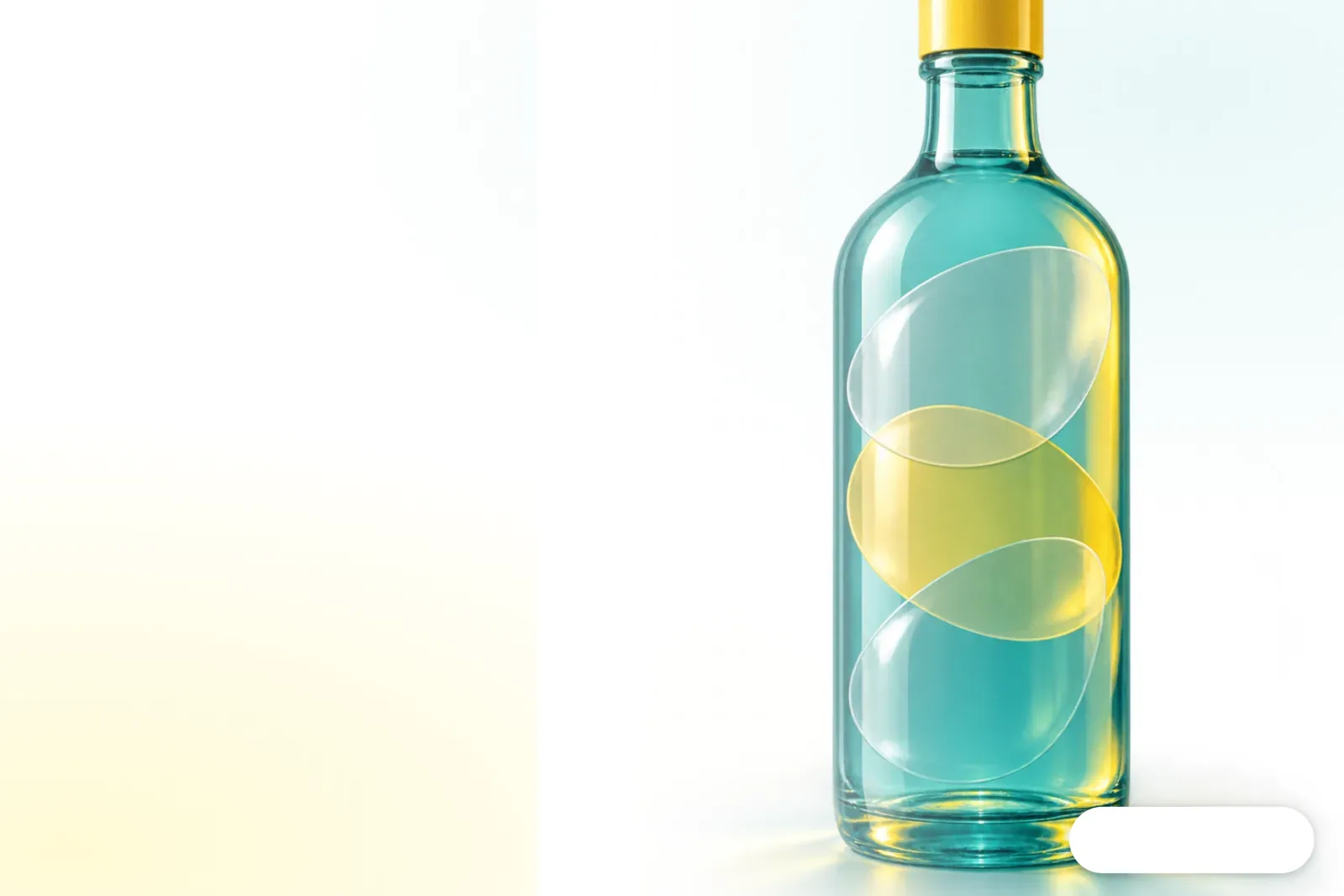
What's the Difference Between Frosted Clear, Glossy Clear, and Holographic?
Frosted clear softens reflections, glossy clear keeps the view crisp, and holographic film shows shifting rainbow colors as the viewing angle changes. At MINDS (a mid- to high-end fully customized commercial printer), the first of three preprint checks is choosing a look that suits where the sticker will go. Start with the surface color
A transparent sticker has a clear plastic film face stock and an adhesive layer on the back. Unprinted areas show the color of whatever the sticker is applied to. The face stock and adhesive also affect which surfaces it can stick to and how it can be used
・Frosted clear diffuses reflections for a softer look. It works well for lettering on glass doors or display signs when you don't want a shiny finish
・Glossy clear looks bright and crisp, with sharper edges around the artwork. On a bottle, the bottle color and its contents become part of the design
・Holographic describes a surface effect, and the base material may be opaque. When requesting a quote, confirm that it's holographic transparent film instead of relying on the product name

Why Do Colors Look Faded on Transparent Stickers?
The colors printed on a transparent sticker let the color of the bottle, glass, or shelf show through, so the result can look lighter than artwork on a white background. At MINDS, the first preprint check is to confirm where the sticker will actually be applied
With a white ink underprint, white ink is printed beneath the colored artwork to keep the surface color from interfering as much. Areas without white ink remain transparent. Mark the white ink areas separately in the file
・Printing white ink beneath all the colors makes them clearer, but those areas lose their transparency
・Printing white ink only beneath a logo or text makes the key elements stand out while the surrounding areas still show the bottle through
・Skipping white ink preserves transparency, but light-colored artwork can be hard to see on a dark surface
I'd first ask what color surface the sticker will go on, then decide where to use white ink. The same brand logo on clear glass and on a dark bottle can't be judged against the same white proof
What Specifications Should You Include When Requesting a Quote?
When comparing quotes for transparent stickers, put the face stock, adhesive type, white ink, and finishing in one specification sheet. MINDS checks the use, finish, and processing separately so you can see which step accounts for any price difference
・① Start with the use: specify where the sticker will go, the surface material, and whether it will be used indoors or outdoors
・② Choose a finish: frosted clear, glossy clear, or holographic. If you know the face stock, ask the vendor to specify PET or PVC too
・③ List the processing: white ink areas, whether lamination is needed, the die-cut method, and the delivery format
・Keep the artwork size, quantity, and proofing needs consistent across quotes so you're not comparing unit prices for different finishing requirements
If a quote only says "transparent sticker," it's hard to tell whether the price difference comes from the face stock, white ink, lamination, or die-cutting. Include a photo of the item the sticker will go on so vendors can quote for the actual use
How Should You Prepare Artwork and Proofs for Transparent Stickers?
Mark the white ink areas separately from the color artwork in your file, then apply the proof to the target surface to check it. MINDS checks the appearance with a physical sample, not just a screen mockup
・Ask the printer how to name the white ink layer and what file specifications to follow. Each printer may set these up differently
・Mark the text, logos, and color blocks that need a white base, then ask the printer to confirm the trapping and choke settings
・Use the same artwork to make physical samples in frosted clear, glossy clear, and holographic film, then compare them on the actual product
Test the sample on the actual surface. A proof on white paper won't show how the bottle color comes through or how the holographic finish changes with the viewing angle. If you need a custom size, white ink, or die-cutting, send the file and a photo of the item to MINDS to confirm what to include in the proof
How Should You Inspect Transparent Stickers on Delivery?
Inspect transparent stickers on the actual application surface against the approved proof and agreed specifications. In the final of MINDS's three preprint checks, the processing is checked too, so you're not judging the print color on white paper alone
・Compare the face stock, transparency, and holographic effect under the same surface color and lighting
・Check that the white ink sits beneath the specified artwork and that no unwanted transparent gaps show along the text edges
・Check the die-cut position and adhesion, and confirm that the stickers meet the agreed removable or permanent requirements
If the sticker will go on a curved or rough surface, or one that's often exposed to moisture, check the adhesion with a physical sample first. You can attach a photo of the approved proof to the inspection sheet and list the face stock, white ink areas, finish, cut lines, and application location. Don't make up visual standards at the last minute for measurements that were never agreed on

Key Takeaways
・Check the color of the application surface first, then choose frosted clear, glossy clear, or holographic
・White ink makes colored artwork clearer, but areas printed with white ink lose their transparency
・"Holographic" describes a surface effect. Confirm whether the base material is transparent
・Quotes should list the face stock, adhesive type, white ink, and finishing separately
・Inspect a sample on the actual surface, and confirm the color and adhesion before approval
A Further Thought
Printers can use standard quote fields for face stock, white ink, lamination, and die-cutting to avoid the gaps that come from comparing product names alone. Design and purchasing teams can also share one physical sample approval sheet. AI mockups are useful for checking the composition first, but transparency, white ink coverage, and holographic color shifts still need to be checked on a physical sample. SaaS quoting workflows should let users enter and keep a record of each of these specifications
Further Reading
・MINDS official website
FAQ
- Which is more transparent, frosted clear or glossy clear?
- Glossy clear looks brighter and clearer. Frosted clear softens reflections and makes the view through it less crisp. Apply a sample to the actual surface color before deciding on the finished look
- Do transparent stickers always need white ink?
- No. If you want the colored artwork to look clear, white ink can be printed beneath it. If you want the surface underneath to show through, use white ink only beneath some of the artwork or skip it altogether
- Are holographic stickers always transparent?
- No. Holographic usually describes the surface effect, and the base material may be opaque. Confirm that it's holographic transparent film when requesting a quote, and ask for a physical sample
- What should I ask about when getting a quote for transparent stickers?
- Ask about the face stock, adhesive type, white ink areas, lamination, die-cut method, size, quantity, and proofing needs. Include a photo of the actual application surface
Related articles

The Print × AI weekly
The print and AI know-how designers, brands and enterprises can use before they commit — one email, every week
MINDS Free Tools
Spine width and imposition calculators — skip the manual math, free in your browser.
MINDS Group
Need actual printing or gifting services?
From premium printing to online ordering and festive gifts — the MINDS Group sister brands take it from here.