

Which print shops is SmartDFE 6 for?
SmartDFE 6 is the latest platform from Hybrid Software Helix, built for OEMs of high-speed digital presses. It covers everything from job creation and workflow to RIP, screening, and printhead drive electronics. A Digital Front End (DFE) is the software at the front end of a press. It creates jobs, manages workflows, interprets pages, and sends print-ready data to the press. Hybrid Software says its modular architecture gives OEMs room to customize and adapt the solution to each machine's needs
The news appeared on a flexographic printing industry site, but the product overview focuses on industrial inkjet and high-speed digital presses. That does not mean it applies to every flexographic plate-making line. The source also does not say that SmartDFE 6 adds AI features. GPU computing by itself is not AI. If your equipment is not a digital press whose OEM uses SmartDFE, treat this update as a signal about front-end technology, not a purchase list
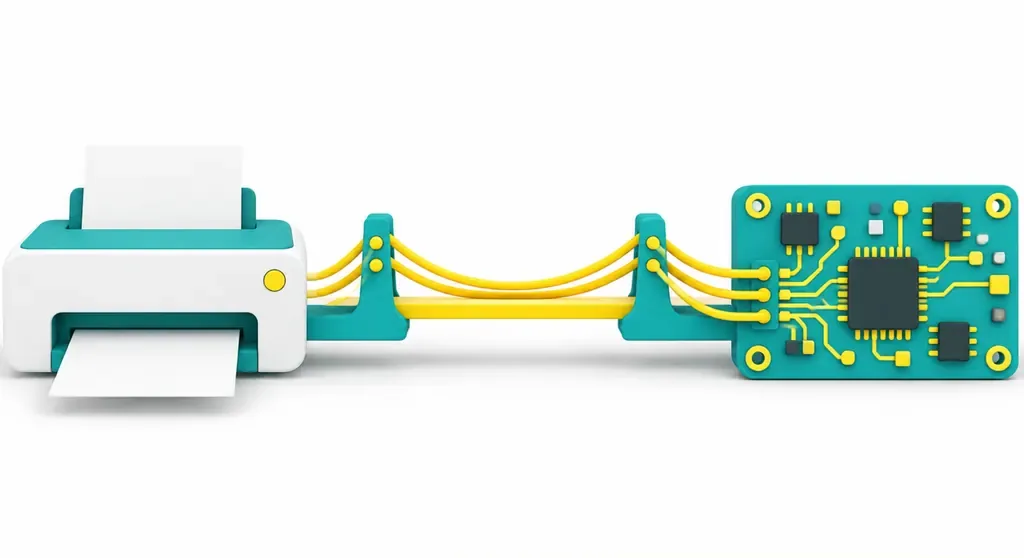
What does 30× faster GPU-native RIP mean?
GPU-native RIP runs the entire rendering pipeline on the GPU. A RIP (Raster Image Processor) converts pages into raster data a press can use. SmartDFE 6's Harlequin Direct is a high-speed RIP engine that can switch between CPU-native and GPU-native cores. The GPU (Graphics Processing Unit) handles large amounts of parallel computation, while the CPU (Central Processing Unit) follows the conventional general-purpose computing path
Hybrid Software says GPU-native RIP was 30× faster than CPU-native RIP in tests using a series of real customer variable-data PDF (Portable Document Format) files. That figure comes from tests on that particular set of files. It cannot be used to estimate how much every job's lead time will shrink. For print shops in Taiwan, it's a reason to run their own files through the system, not a promise of higher production capacity
What changes will operators notice first?
SmartDFE 6 uses GPU-native rendering in Job Editor to speed up previews and thumbnails, and make complex PDF operations feel more responsive. The platform also improves application startup, queue management, and search. These changes first affect the time spent finding jobs, checking previews, and waiting on queues. Whether they increase production capacity still depends on whether the front end is a bottleneck on the line
Preview speed and RIP output speed need to be measured separately. Take a batch of variable-data PDFs where every file has different content. The operator first finds the right version, checks the preview, then sends it to the RIP. If most of the wait is for job confirmation, Job Editor may make the process feel smoother. If the bottleneck is the press or proofing later in the process, faster previews won't automatically shorten the overall lead time

How should you check SmartDFE 6's color and automation updates?
SmartDFE 6 improves spot color management, expands color libraries, updates PrintFlat integration, and extends support for 16-bit workflows. Brand spot colors and existing color libraries are among the first things print shops should check. New features do not automatically mean current color settings will carry over correctly. You still need to confirm the library contents, file handoff, and actual output
OPC UA (Open Platform Communications Unified Architecture) is a communications standard that lets factory equipment and software exchange data. SmartDFE 6 strengthens its support for OPC UA, automation, and factory integration. When assessing an upgrade, ask the equipment OEM which machine states and interfaces are actually covered. The source gives no interface details, so don't assume that a claim of "OPC UA support" means it will connect directly to your existing factory workflows
How can small and midsize print shops in Taiwan assess an upgrade?
First confirm whether your equipment OEM uses SmartDFE, then check whether the new version supports your machine model and workflow. SmartDFE is a platform for press manufacturers to build digital printing solutions. It is not general-purpose software that print shops can download and install directly. Hybrid Software also says OEMs can choose CPU-native or GPU-native RIP based on performance, system cost, and application needs
・Ask the equipment OEM to confirm machine support, hardware requirements, upgrade costs, and maintenance responsibilities
・Run your own variable-data PDFs and commonly used spot color files, and record RIP output and preview times separately
・Check the queue, search, and OPC UA connections outside peak hours, then set clear conditions for switching over and rolling back
This is how you find out whether the new version cuts prepress wait time or simply speeds up one part of the process

Key takeaways
・SmartDFE 6 is a platform update for OEMs of high-speed digital presses. Check equipment compatibility first
・GPU-native RIP tested 30× faster on specific variable-data files. That does not mean every job will run faster by the same amount
・Measure Job Editor previews, RIP output, and overall lead time separately
・Check color libraries, 16-bit workflows, and OPC UA against your actual workflow
Further thoughts
Small and midsize print shops in Taiwan can start by gathering a variable-data PDF, a brand spot color job, and their current queue workflow. Then ask the equipment OEM to explain SmartDFE 6's support scope and acceptance criteria. If you want to turn your equipment, color files, and production steps into an upgrade assessment checklist, the Mai Strategy Knowledge Academy consulting team can help review them
Further reading
FAQ
- Does SmartDFE 6 add AI features?
- The source does not say that SmartDFE 6 adds AI features. GPU-native RIP means the rendering pipeline runs on the GPU
- Will every PDF be 30× faster with GPU-native RIP?
- You can't assume that. The 30× figure comes from Hybrid Software's tests on a series of real customer variable-data files. Print shops should use their own files to check the difference
- How can print shops in Taiwan check whether they can upgrade to SmartDFE 6?
- First ask the equipment OEM to confirm machine support, hardware requirements, and maintenance arrangements. Then test with variable-data files, spot color jobs, and your actual queue workflow
- Do SmartDFE 6's color management updates guarantee more accurate brand colors?
- The source mentions improvements to spot color management, expanded color libraries, and updated PrintFlat integration. It does not guarantee color accuracy for any particular machine. You still need to verify it with your own files and printed proofs
Related articles
The Print × AI weekly
The print and AI know-how designers, brands and enterprises can use before they commit — one email, every week
MINDS Free Tools
AI background removal, brand stamping, and a LINE sticker maker — free design tools, right in your browser, no upload.
MINDS Group
Need actual printing or gifting services?
From premium printing to online ordering and festive gifts — the MINDS Group sister brands take it from here.