

Introduction
Overprint and knockout are among the most easily underestimated separation rules when final design files move into print manufacturing, yet they directly affect the manufacturability of text edges, overlapping color blocks, hot-stamping plates, spot varnish plates, and embossing plates
In the printing workflow, designers see visual layers, while print shops process separation plates and post-processing plates. Overprint means the upper object does not remove the color plates beneath it, allowing ink or coating to overlap in the same position. Knockout means the upper object cuts away the underlying color plates so that only the specified plate remains in that position. These two settings may look only slightly different in an on-screen preview, but on a press or finishing machine they become different physical outcomes
The research question addressed in this article is: why can black artwork look correct, yet still produce misregistered black text, shifted hot stamping, displaced spot varnish, or incorrect embossing positions in actual production? Existing discussions often simplify the issue as "the designer did not outline the fonts" or "the printer's registration is inaccurate," but that explanation cannot account for why K100 black artwork in post-processing plates must be treated as a process-control signal, not merely as a visual color
This article makes three contributions:
・First, it defines the different functions of overprint and knockout in conventional four-color printing and in post-processing plates, showing how the same overprint setting can create opposite risks in different process steps
・Second, it uses a rejected hot-stamping file as a case to unpack the interaction among K100 black artwork, rich black, spot color, and knockout
・Third, it proposes the "Minds Print Three-Gate Print Submission Check" as an analytical framework, examining color plate semantics, preview evidence, and printer-side specifications in response to the reality of Taiwan's design and printing industry: highly divided small and mid-sized supply chains, large equipment differences, and inconsistent file standards
Literature and Current Practice Review
Existing technical literature on overprint can be divided into three groups: the material perspective of inks and coatings, the layout perspective of prepress separation, and the process perspective of post-processing handoff. These three perspectives are connected, but in practice they are often handled separately by different roles
The first group is the material perspective. In the 1999 book Printing Ink and Overprint Varnish Formulations, 2nd Edition, Flick devotes a chapter to overprint varnishes, showing that overprint is not only a checkbox in layout software, but also involves the formulation and suitability of transparent or semi-transparent upper coatings applied over existing printed layers [1]. This literature reminds us that spot UV varnish should not be understood merely as "a shiny layer," but as a post-processing layer with thickness, leveling, drying, and registration requirements
The second group is the prepress separation perspective. In prepress practice, overprint is usually understood as preserving the underlying color plates, while knockout is understood as removing them. This definition is not complex in itself; the risk comes from automated defaults. For example, small K100 black text over a four-color background is often overprinted to reduce white fringing caused by registration error. However, if a white object is mistakenly set to overprint, it may disappear after output because white is not an independent ink in most CMYK printing, but the paper color. This article argues that if prepress education only teaches "black text should overprint" without explaining "which black, on which plate, for which process," the rule becomes a slogan and can actually increase the rate of post-processing failures
The third group is the post-processing handoff perspective. Hot stamping, spot varnish, and embossing usually require an independent black artwork file or spot plate separated from the main visual file. At this point, K100 is no longer merely a visual black, but a process signal used for machine positioning, plate output, and supplier communication. The literature on overprint varnish treats the upper varnish layer as an independent material category applied over the printed layer, which echoes the idea that post-processing plates must be managed independently [1]. This article differs from existing materials literature in that it does not discuss varnish formulation optimization, but translates the material reality of overprint into a prepress file-control issue
The gap in current discussions is that overprint and knockout are often treated as prepress software techniques, while post-processing misregistration is treated as a mechanical positioning problem. This article argues that both actually share a common upstream cause: if the plate semantics in a PDF are unclear, the printer-side RIP, imposition, output, and post-processing subcontractors may each make interpretations that are reasonable but inconsistent
Core Analysis 1: Overprint and Knockout Are Plate Rules, Not Visual Effects
The core difference between overprint and knockout is whether the underlying plate should remain, not whether the image looks similar on screen
In four-color printing, small K100 black text is often set to overprint because if black text knocks out the background color, even a slight registration shift can reveal a white paper edge. This article argues that the premise of this practice is that the black text area is small, the black plate has sufficient covering power, and the underlying background color will not create a visible color cast. If the same rule is applied to large black areas, transparent shadows, or post-processing black artwork, the risk immediately rises
Color prediction in multi-color overprinting is especially difficult. When cyan, magenta, yellow, black, or spot color overlap in the same position, the final color is not simply the sum of on-screen transparencies. It is the combined result of ink sequence, dot gain, paper absorption, and drying conditions. As a coating category applied over printed layers, overprint varnish already shows that "upper-layer coverage" has its own physical properties and formulation issues in printing materials [1]. This means that the overprint preview in a design file can only serve as a risk indicator; it cannot replace actual proofing or printer-side confirmation
The value of knockout lies in establishing boundaries. If a gold logo is to be hot stamped rather than printed, a common practice is to leave the gold area unprinted on the main printing plate and create the hot-stamping plate using separate black artwork. In this case, knockout can prevent the printed background color from creating unnecessary color-layer interference in the hot-stamping area. This article argues that the first task of post-processing black artwork is not to "look black," but to tell the finishing supplier exactly where to apply the process and where absolutely not to apply it
Therefore, decisions about overprint and knockout should begin with the production purpose. If the goal is to prevent small black text from showing white edges, overprint may be reasonable. If the goal is to create an independent plate for hot stamping, spot varnish, or embossing, the black artwork should usually be represented with a clear spot color, K100, or a printer-specified plate, and knockout or overprint should be set according to the specification rather than copied from ordinary black-text rules

Core Analysis 2: K100 Black Artwork Is a Process Signal in Post-Processing
K100 black artwork has a dual identity in post-processing workflows: on screen it is a black object, but on the manufacturing side it is a binary signal for the processing position
Consider a rejected hot-stamping file. The design file contained a brand mark, which the designer set as rich black, meaning a mixed black made from C, M, Y, and K, and then duplicated as a separate layer for hot-stamping black artwork. The on-screen preview looked correct, but the printer rejected the file because the hot-stamping plate should not contain four-color information, and some black artwork objects still retained overprint settings, creating an ambiguous plate relationship with the background image
The correct treatment is not simply to "make the object black," but to redefine its plate semantics. The hot-stamping plate should be independently named as a spot color, such as FOIL or HOTSTAMP. If the printer requires a black-artwork PDF, the file should be confirmed to contain only K100 or the specified spot plate, without any CMY. Whether that position should be knocked out on the main printing plate should be determined by the foil material, background color, paper, and printer requirements. This article argues that the key in this case is not the color value, but whether the design file separates visual black from the processing instruction
This point is consistent with the literature on overprint varnish. Flick treats overprint varnishes as an independent topic within printing inks and varnish formulations, indicating that a varnish layer and an ink layer cannot be reduced to the same visual color [1]. For prepress, spot-varnish black artwork likewise should not be treated as an ordinary black graphic, but as a processing layer that requires independent output, checking, and positioning
Common errors in K100 black artwork fall into three categories:
・First, rich black is mistakenly used as post-processing black artwork, potentially causing the output side to generate multi-plate information
・Second, black artwork shares layers or transparency effects with the main image, causing unexpected objects to appear after RIP flattening
・Third, printers use different overprint defaults. Some workflows preserve the design-file settings, some automatically correct small black text, and others change the output result during imposition or PDF/X conversion. This article argues that when post-processing involves subcontracting, the third type of error is the hardest to trace because each station may "fix" the file into something reasonable according to its own defaults
Core Analysis 3: Spot Varnish and Hot-Stamping Misregistration Often Comes from Upstream Semantic Errors, Not Just Mechanical Error
Misregistration in spot varnish, hot stamping, and embossing looks on the surface like inaccurate positioning on the finishing machine, but it often comes from prepress files that fail to provide a consistent registration basis
Spot UV varnish is, in essence, a varnish-type post-processing layer applied over the printed layer. The literature on overprint varnish addresses upper-layer varnish from a formulation perspective, showing that varnish and ink play different roles in the material system [1]. This article argues that spot-varnish misregistration should not be understood only as a question of whether "the plate was aligned," but should also include checking whether the spot-varnish plate and the printing plate use the same trim box, the same coordinates, the same bleed settings, and the same PDF origin
Hot stamping and embossing depend even more heavily on unambiguous black artwork. If the main file is rescaled, imposed, or given a changed trim box during output, while the hot-stamping black artwork is saved separately without the same coordinate system, the post-processing plate may shift as a whole even if its content is correct. If the black artwork still contains transparency, shadows, compound paths, or overprint settings, the supplier may use only the visible area, outline area, or a specific color plate during platemaking, causing partial omissions. This article argues that so-called "overall misregistration" is often not a single-point error, but a loss of a shared reference system between the main printing plate and the post-processing plate
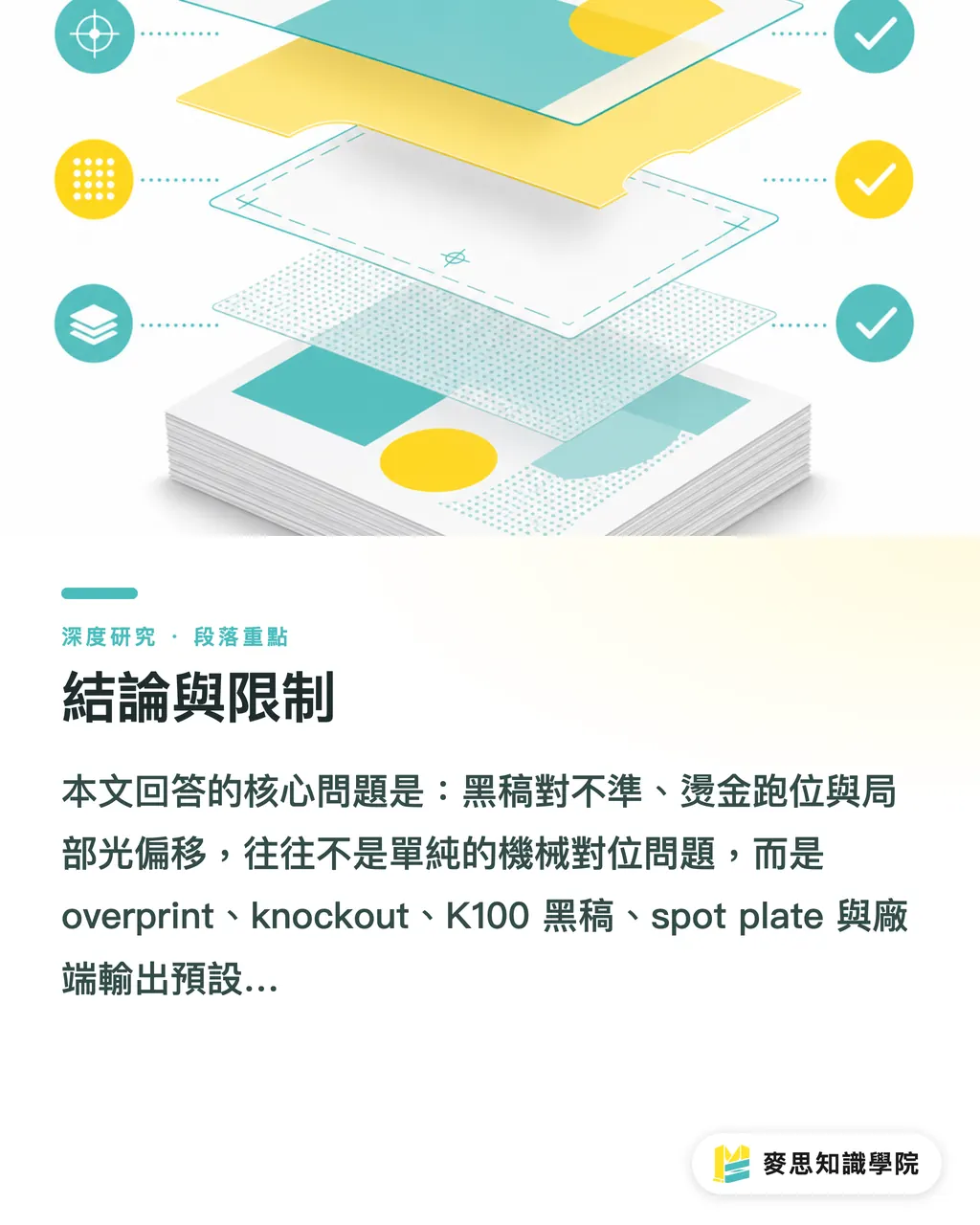
Therefore, post-processing black artwork should pass at least three checks:
・First, plate simplicity: the processing plate contains only the objects needed for the process, without backgrounds, guide lines, or CMY plates
・Second, coordinate consistency: the processing plate and the main printing plate use the same page size, trim box, bleed, and registration marks
・Third, verifiable output: when other plates are turned off in Acrobat Output Preview or an equivalent separation tool, the position of the processing plate remains clearly visible. This article argues that these three checks reduce misregistration risk more effectively than simply asking whether overprint should be used
Inconsistent overprint defaults among different printers are a particular issue for Taiwan's industry. Small and mid-sized print shops, post-processing partners, and design teams often use different software versions, RIP settings, and PDF standards. If the design side only delivers a PDF that "looks right" without plate notes, the printer can only interpret it based on its own experience. This article argues that this inconsistency is not a matter of insufficient professionalism by any one party, but a lack of a machine-readable, verifiable, and traceable file contract across the supply chain
Core Analysis 4: The Minds Print Three-Gate Print Submission Check
This article proposes the "Minds Print Three-Gate Print Submission Check" as a prepress file-review framework: color plate semantics, preview evidence, and printer-side specifications
The first gate is color plate semantics. The design side should first determine the identity of each black object: is it visual black text, a background shadow, a full-bleed black background, a hot-stamping plate, a spot-varnish plate, or an embossing plate? If it is visual black text, K100 overprint may be a tool for reducing white fringing. If it is a post-processing plate, K100 or spot color should be treated as a processing signal. The overprint varnish literature treats overprint varnishes as a clear material category, supporting this article's analysis that post-processing layers should be treated as independent plates rather than ordinary visual layers [1]
The second gate is preview evidence. All high-risk files should be checked using separation preview, not just the normal view in Illustrator, InDesign, or a PDF viewer. CMY, K, and spot plates should be turned off separately to confirm whether objects appear on the expected plates. If a white object disappears, black artwork appears on multiple plates, or the spot-varnish plate has a different trim box from the main visual plate, the file should not enter production even if the image looks beautiful
The third gate is printer-side specifications. The design side should not assume that all suppliers use the same overprint rules. Before submitting files, it should explicitly confirm: whether the printer automatically overprints small black text; whether post-processing black artwork should be K100 or spot color; whether the hot-stamping area requires a knockout background; whether spot varnish allows overprint; and whether the PDF must comply with a specific PDF/X standard. This article argues that these questions are not administrative communication, but part of production control
The purpose of these three gates is not to add burden to the design side, but to turn implicit experience into a checkable workflow. For researchers, this also provides an observable unit of analysis: file errors exist not only in object attributes, but also among role handoffs, software defaults, and supply-chain specifications
Implications for Taiwan's Design and Printing Industry
For small and mid-sized print shops, managing overprint and knockout is an upfront cost that reduces file rejections and rework. Many printing jobs in Taiwan are characterized by short runs, high variety, rush schedules, and a high proportion of post-processing. If each file relies on an experienced technician's visual inspection, quality becomes dependent on individual experience. Practical steps include creating a standard file-intake checklist, consistently requiring processing plates to be output separately, listing overprint and knockout rules in quotations or job tickets, and retaining the final plate-ready PDF as a traceable version
For designers, overprint is not a technical issue that only printers need to understand; it is part of final-art responsibility. Designers should avoid mixing rich black, transparency effects, and post-processing black artwork into the same logic. If a project includes hot stamping, spot varnish, or embossing, independent plates should be planned during the design stage rather than created by duplicating a black object right before final output. This adds time to early-stage checking, but can reduce file rejection, re-output, and schedule delays
For brand owners, post-processing misregistration affects more than a single defective piece; it affects the consistency of brand identity. When high-value packaging, invitations, catalog covers, or limited-edition products have shifted hot stamping, they often require reprinting or schedule changes. When commissioning design and printing, brand owners should include processing-plate checks, proofing responsibility, acceptable tolerances, and rejection conditions in the project workflow, rather than using visual-layout approval alone as the basis for production
For SaaS and AI adoption, overprint and knockout are high-value scenarios well suited to automated checking. A system can scan PDFs for overprint attributes, white overprint objects, rich-black processing plates, spot plate naming, trim-box consistency, and transparency-flattening risks. However, AI should not merely output "suspected errors"; it should also provide verifiable separation evidence, otherwise it increases the interpretation burden for prepress staff. This article argues that the key for future tools is not to replace prepress judgment, but to flag high-risk objects earlier for human confirmation
Conclusion and Limitations
The core question answered by this article is this: misregistered black artwork, shifted hot stamping, and displaced spot varnish are often not simple mechanical registration problems, but the result of overprint, knockout, K100 black artwork, spot plates, and printer-side output defaults not being managed together
This article argues that overprint and knockout should be treated as plate rules, not on-screen effects. Small K100 black text may be suitable for overprint in four-color printing, but K100 black artwork in post-processing should be treated as a process signal. If hot-stamping, spot-varnish, and embossing plates do not maintain plate simplicity, coordinate consistency, and verifiable separations, they may be reinterpreted differently across suppliers
This article has two limitations:
・First, the sources cited are limited to the provided literature. The analysis is mainly built from material literature on overprint varnish and inferences from prepress practice, without incorporating RIP vendor manuals, PDF/X standards, or the internal specifications of individual print shops
・Second, the discussion focuses on handoff between design printing and post-processing, and does not empirically test the quantitative effects of different papers, inks, hot-stamping foils, UV coating thicknesses, and equipment tolerances on misregistration tolerance
Future research could proceed in three directions:
・First, collect overprint defaults and file-rejection rules from different print shops to build a map of file specifications for the Taiwan market
・Second, use experiments to compare K 100, rich black, and spot color separation results across different RIPs
・Third, build an automated PDF audit tool and test its detection accuracy for hot-stamping, spot-varnish, and embossing black-artwork errors
Key Takeaways
The essence of overprint and knockout is color separation plate logic, not on-screen visual appearance
Small K100 black text can be used to reduce the risk of white fringing, but K100 post-processing black artwork should be treated as a processing signal
Misregistration in hot stamping, spot varnish, and embossing often comes from inconsistent plate semantics and coordinate systems, not just mechanical registration error
Before submitting files to print, color plate semantics, separation preview evidence, and printer-side specifications should be checked; visual correctness alone is not enough
To reduce file rejection in Taiwan's design and printing supply chain, overprint and knockout rules must be converted into verifiable file contracts
Further Reflections
For print manufacturing, overprint and knockout management should move from individual experience to standardized file intake and separation audit workflows. For design teams, post-processing plates must be planned independently during the design stage; visual black cannot be used directly as processing black artwork. For AI and SaaS tools, the most valuable entry point is automated detection of white overprint, rich-black black artwork, inconsistent spot plate naming, mismatched trim boxes, and transparency-flattening risks, but the tools must still provide separation evidence that humans can review. The unresolved question is how to translate the RIP defaults, post-processing tolerances, and PDF specifications of different print shops into production specifications that are machine-readable, traceable, and shareable across suppliers
References
[1] Flick E. (1999). Overprint Varnishes. Printing Ink and Overprint Varnish Formulations, 2nd Edition. DOI: 10.1016/b978-0-8155-1440-4.50007-2
FAQ
- What is the difference between overprint and knockout?
- Overprint means the upper object does not cut away the underlying color plates, allowing ink or coating to overlap in the same position. Knockout means the upper object cuts away the underlying color plates so that only the specified plate remains in that position
- Why can't K100 black artwork simply use rich black?
- Post-processing black artwork is a signal for the processing position, not a visual black. Rich black contains multiple plates, including CMY and K, which may send unclean plate information to the hot-stamping, spot-varnish, or embossing platemaking side
- When is black text suitable for overprint?
- When small K100 black text is printed over a colored background, overprint can reduce white fringing caused by registration error. But the same rule should not be directly applied to large black areas, rich black, white objects, or post-processing black artwork
- Is misregistration in hot stamping or spot varnish always caused by inaccurate machinery?
- Not always. Common causes include mismatched coordinates between the black artwork and the main file, different trim boxes, CMY mixed into the plate, unclear overprint settings, and different RIP defaults on the printer side
- What are the most important checks before submitting files to print?
- Three things should be checked: whether the processing plate contains only necessary objects, whether the main file and black artwork use the same size and coordinates, and whether the processing plate appears on the correct plate in separation preview
Related articles





The Print × AI weekly
The print and AI know-how designers, brands and enterprises can use before they commit — one email, every week
MINDS Free Tools
Imposition calculator and preflight file check — free prepress tools, right in your browser.
MINDS Group
Need actual printing or gifting services?
From premium printing to online ordering and festive gifts — the MINDS Group sister brands take it from here.