
What Binding Options Are There for Desk Calendars? How Are They Different?
The binding stage is where DIY desk calendars most often go wrong. The problem is usually not that the design is not attractive enough, but that the wrong binding method was chosen. At best, the spine cracks or the whole batch will not lie flat. At worst, the printer rejects the files and the job has to be redone
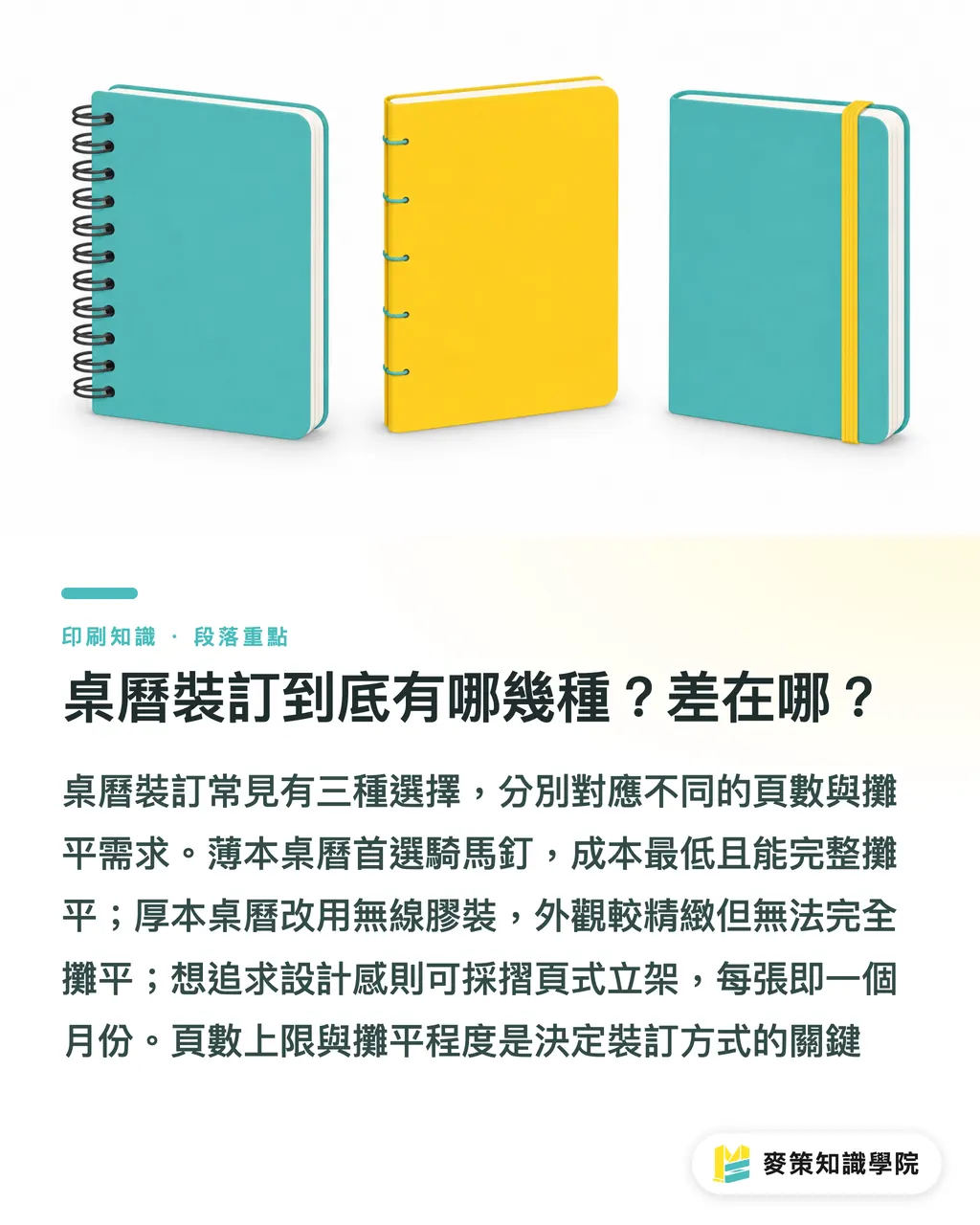
In practice, the three most common binding methods for desk calendars are:
・Saddle Stitch: Two metal staples pass through the center fold of the spine to hold the whole booklet together. It is the first choice for slim books. As a rule of thumb, keep it within 64 pages, with 32-48 pages being the most stable range. It has the lowest cost, the best page-turning feel, and can open fully to 180 degrees, so it is the default option for desk calendar binding
・Perfect Binding: Glue is applied to the spine, permanently binding the book block together. The flat spine can carry an image or text. It suits thicker books of more than 64 pages and looks more polished than saddle stitch, but it cannot lie flat at 360 degrees, and content near the spine can get swallowed. It is common in premium desk calendars and annual portfolios
・Folded/Desk Stand: A large sheet is folded into a triangular standing structure, with no binding needed. Each sheet represents one month and stands on the desk for viewing. It has the fewest pages, usually 6-12 sheets, and the highest cost, but it also feels the most designed. It is the only method that can truly treat each sheet as its own page
The biggest differences among the three are the page-count ceiling and how flat the calendar needs to open. Those two points decide 80% of desk calendar binding choices
How Do You Decide Which Binding a Desk Calendar Should Use?
In my experience, start with a simple split: page count plus the need to lie flat. Budget is only the final adjustment
・Within 64 pages, and it needs to lie flat for writing or browsing: choose saddle stitch. This is the sweet spot for desk calendars
・More than 64 pages, with a premium feel and a logo printed on the spine: choose perfect binding. Reserve 6-10mm of spine width
・Only 6-12 sheets, meant to stand upright with the largest possible display area: choose a folded triangular desk stand, often used for designer portfolios or giveaway desk calendars
What tends to catch designers is the edge case where the page count sits right on the line. Take a 56-page desk calendar, for example. If you force it into saddle stitch, the staples may not hold firmly and the finished product can come apart. There are two ways to solve it: reduce the page count, such as merging months or removing blank pages, down to 48 pages and keep saddle stitch, or add pages to push it above 64 pages and switch to perfect binding. Do not force it. This is one of the most common reasons jobs get rejected on the production line
Another decision point that often gets missed is the use case: sitting on an office desk versus being carried around. If it is for desk use and needs to lie flat for writing, saddle stitch or a folded format both work well. If it will be carried and tossed into a bag, perfect binding has the most durable spine
What File-Prep Details Matter for Saddle Stitch Desk Calendars?
Saddle stitch is the most common desk calendar method, and it also has the highest rejection rate. The details come down to three areas: page count, bleed, and spread design
The page count must be a multiple of 4
Saddle stitch uses large sheets folded in half, with each sheet producing 4 pages, so the total page count must be divisible by 4. A common mistake is trying to force a 30-page file through production. The printer will either reject it outright or ask you to add pages until it reaches 32. Before finalizing the file, do the math yourself: total page count ÷ 4 = number of printed sheets. If the result is a whole number, you are safe
Bleed and safe zone
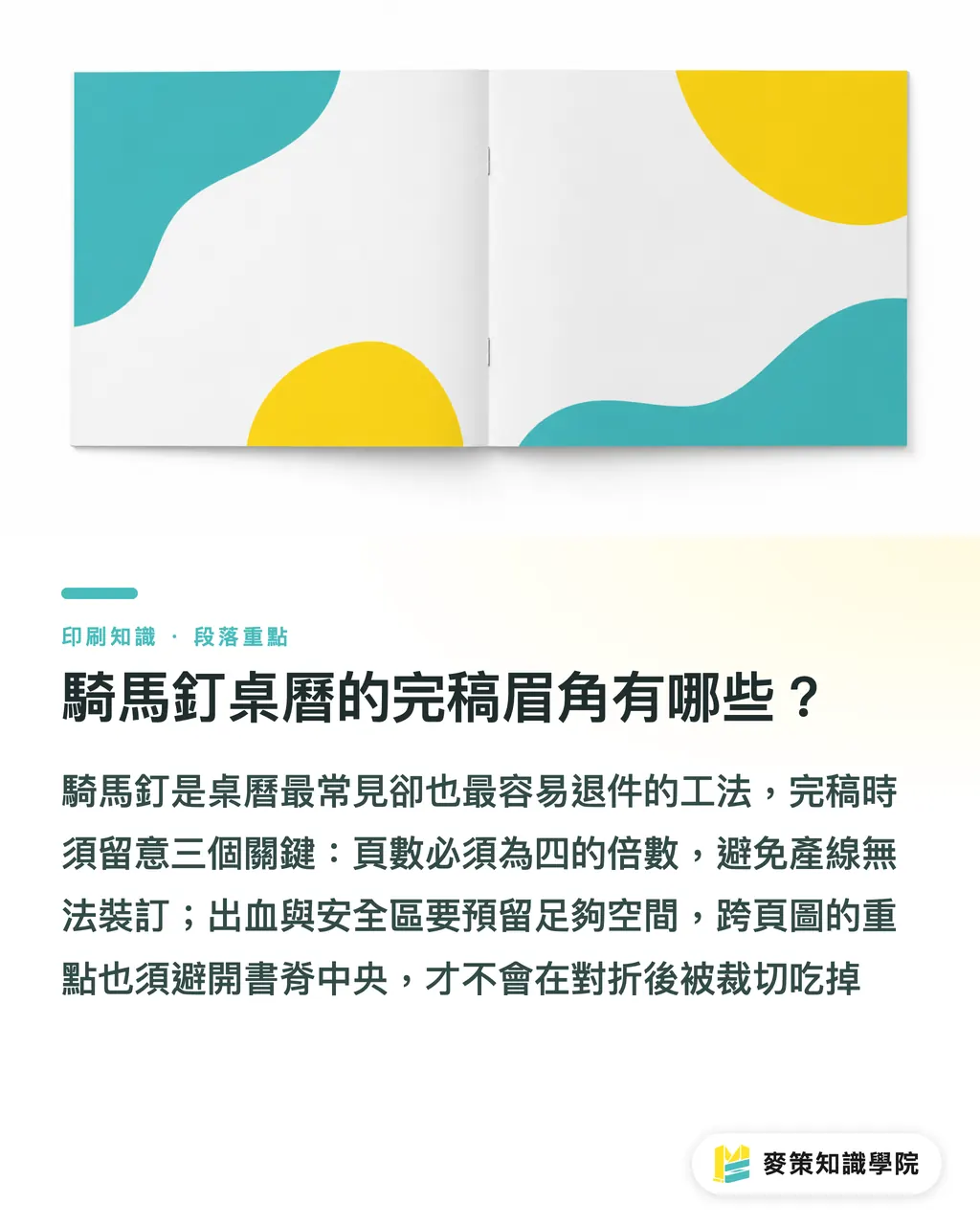
Saddle stitch has a 2-3mm margin of movement during trimming and folding, so bleed must be set to 3mm. Keep the safe zone at least 5mm away from the page edge. For spread images, such as one landscape image running across left and right pages, keep key visual content at least 6mm away from the center spine, or the fold will eat the important part
Spine text and decoration
The center spine of a saddle-stitched booklet is where the two staples sit, so do not place important text or details there. If you want to add a logo or year, place it on the non-binding side of the front or back cover
What Should You Watch Out For with Perfect-Bound Desk Calendars?
Perfect binding in desk calendars leans toward premium gifts or annual portfolios. The file-prep details are completely different from saddle stitch
Spine allowance and inner margin
Glue binding eats up 3-5mm on each side of the spine. Text and key elements near the spine should be moved inward by at least 5mm, while images should move inward by around 8mm. The spine width itself depends on page count: about 6mm for 64 pages and about 10mm for 128 pages. Draw it directly into the file
How to deal with the fact that it cannot lie fully flat
The most annoying part of perfect binding is that pages near the spine arch upward. When opened flat, the center forms a curve. To reduce the problem, ask the designer to keep key information at least 15mm away from the spine, and choose thinner paper, such as coated paper under 100gsm, to reduce the curve. But if the client insists that the calendar must lie flat at 360 degrees, perfect binding is the wrong method. Switch back to saddle stitch or wire binding
Suitable paper and finishing
Perfect-bound desk calendars often use 120-157gsm coated paper or fine paper, plus cover mounting, coating such as gloss or matte lamination, foil stamping, and other post-press finishes. If the paper is too thick, the spine glue will not hold well. This is the trap beginners hit most often
How Are Folded Desk Calendars Made?
Among the three methods, the folded desk calendar is the only one with no binding. At its core, it is a large sheet folded into a triangular stand, so the structure is the simplest, but the size calculation is the hardest
Structure and dimensions
The most common formats are cross-folds or triangular stand folds: a rectangular sheet is folded in half, with an extra triangular cutout in the center to open up and support the stand. A standard size such as A3 (420×297mm) becomes 210×297mm after folding, and the stand depth is usually set at 50-80mm. If the dimensions are miscalculated, it will either fail to stand or stand poorly. This is the most common reason folded formats get rejected
Suitable paper
Folded desk calendars depend on paper stiffness to stand upright, so the paper needs to be thick. Common choices are 200-250gsm coated paper or fine paper. Too thin, and it will sag. Too thick, and it becomes hard to fold. With double-sided printing, the fold can crack easily, so ask the printer to score the fold line first, especially when using thick paper
File-prep points
A folded format has no spine, but it does have fold lines. Mark the fold positions in the file with dashed lines so the printer can align them. Keep the usual 3mm bleed, but do not place important text within 5mm above or below the fold line, because the crease can eat into the content
How Do You Make the Binding Decision in One Pass? Use Page Count as the Decision Tree
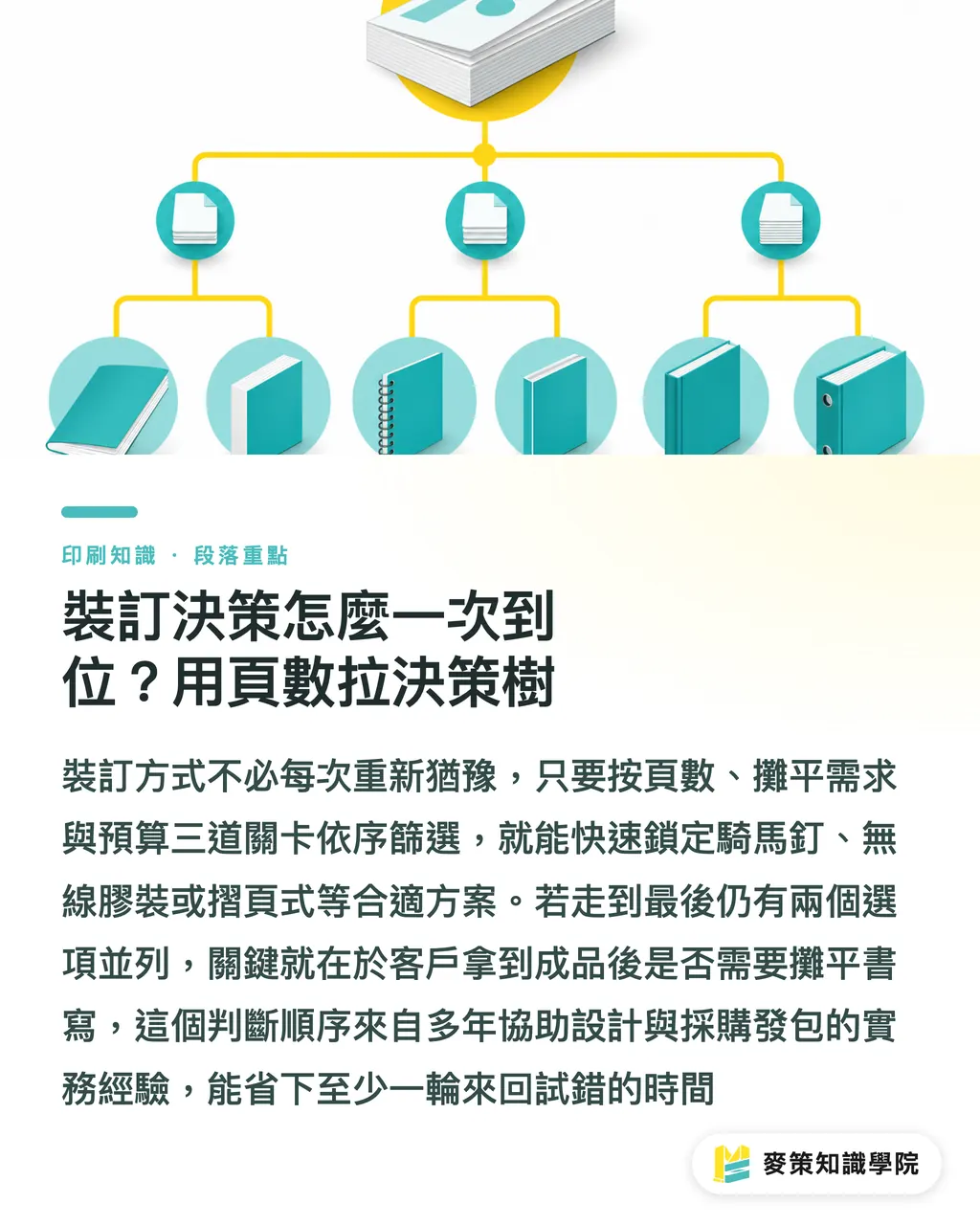
Instead of hesitating every time before placing an order, turn the binding decision into a tree. Follow it and you will not go far wrong:
・Checkpoint 1 (page count): within 64 pages → saddle stitch; more than 64 pages → perfect binding; only 6-12 sheets → folded format
・Checkpoint 2 (flatness): needs to open flat at 180 degrees → saddle stitch or folded format; an arched spine is acceptable → perfect binding also works
・Checkpoint 3 (budget cap): tightest budget → saddle stitch; medium budget with a polished feel → perfect binding plus matte lamination; highest budget with a design-led feel → folded format plus foil stamping
If you go through the whole decision tree and still have two options tied, ask one final question: after the client receives the desk calendar, will they write on it while it is open flat? Yes → saddle stitch. No → either perfect binding or folded format works
I call this the "Mai Strategy three checkpoints before printing." It is the decision order built up over years of guiding designers and purchasing teams through print orders, and it can save at least one round of trial and error. Run through it yourself before placing the order, lock in the direction, then discuss paper and finishing details
If you still have questions about paper, post-press finishing, or file-prep details for desk calendars, you can contact MINDS for mid- to high-end fully custom printing services. To better understand the decision logic behind binding and final artwork, you can also read related articles from the Mai Strategy Knowledge Academy consulting team
Key Takeaways
・Choosing the wrong desk calendar binding costs far more in rejected files and rework than asking one extra question upfront
・Saddle stitch is the default option for desk calendars within 64 pages, and the page count must be a multiple of 4
・Perfect binding cannot lie flat at 360 degrees, and content near both sides of the spine needs to move inward by 5-8mm
・Folded formats need no binding, but the dimensions must be calculated correctly. Paper that is too thin will sag, while paper that is too thick will be hard to fold
・Using the three checkpoints of "page count → flatness → budget" is much faster than choosing binding by gut feel
Further Thoughts
This decision logic actually extends to binding choices for all printed products. Not just desk calendars, but annual reports, catalogs, and notebooks can all use the same three checkpoints: page count, flatness, and budget. For designers, the habit worth building is to run through the decision tree before placing an order, narrow down the direction first, and only then move into paper and finishing discussions. Do not throw every question to the printer with "What do you recommend?" That often makes it easier to be guided toward the most profitable method, not the most suitable one. For printers, a sales rep who can provide a binding decision chart in the first round is far more likely to win mid- to long-term clients than one who can only quote prices
Further Reading
・No specific external sources cited. Content is compiled from practical industry experience
FAQ
- Does the page count of a desk calendar have to be a multiple of 4?
- For saddle stitch, yes. One folded sheet creates 4 pages, so if the total page count is not a multiple of 4, the job will be rejected. Perfect binding and folded formats do not have this restriction
- Can a perfect-bound desk calendar lie flat?
- No. Because perfect binding uses glue on the spine, pages near the spine will arch upward and cannot lie flat at 360 degrees. If the client requires a calendar that lies flat, switch back to saddle stitch or wire binding
- How thick should the paper be for a folded desk calendar to stand properly?
- Use 200-250gsm coated paper or fine paper. If the paper is too thin, it will sag and fail to stand. If it is too thick, it will be hard to fold. For thick paper, scoring the fold line first is recommended
- What paper works best for a saddle-stitched desk calendar?
- Inner pages commonly use 120-157gsm coated paper. The cover can be upgraded to 200-250gsm with matte or gloss lamination. If the paper is too thick, the staples may not hold firmly. If it is too thin, the calendar will not feel good to flip through
- What are the most common reasons DIY desk calendars get rejected?
- The page count is not a multiple of 4, bleed was forgotten, or a spread image runs into the spine. These three mistakes account for more than 80% of desk calendar file rejections, so check them yourself before finalizing the artwork
Related articles


The Print × AI weekly
The print and AI know-how designers, brands and enterprises can use before they commit — one email, every week
MINDS Free Tools
Spine width and imposition calculators — skip the manual math, free in your browser.
MINDS Group
Need actual printing or gifting services?
From premium printing to online ordering and festive gifts — the MINDS Group sister brands take it from here.