

Why isn't opening a Photoshop template enough?
A free alternative that opens PSD files has only shown that it can read them. That doesn't prove a packaging template is still editable or that the exported file meets the print provider's delivery requirements. ArtCraft, a free alternative editing tool, has published two hands-on tests: one compares its ability to open Photoshop templates, and the other checks how it handles real files. I agree with that approach because design teams work with the templates they actually have, not software demos
When I evaluate a new tool, I run an original file through the full workflow first. Packaging layouts often need a product name, specifications, or image replaced. If the file is only viewable, the designer still has to go back to the original software. If the layout changes after saving, the print provider has to check it all over again. Opening the file is just getting in the door
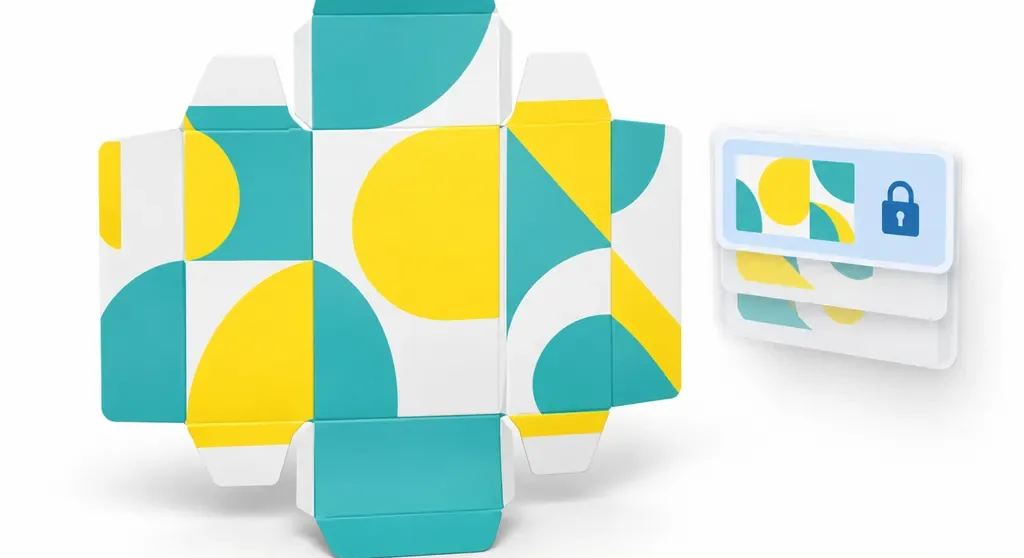
Which four things should you check for file compatibility?
File compatibility means that after software opens a PSD, the layout still displays correctly, objects remain editable, fonts look right, and the file can be exported in the agreed format so the next person can take over. MINDS, a mid-to-high-end fully customized commercial printer, breaks compatibility down into four practical checks using a real file
・Open the template: Open a packaging PSD the team already uses and confirm that the text, images, and layout are all clear
・Edit an object: Replace a line of text or an image object, then check that nothing else changed along with it
・Check the fonts: Review Traditional Chinese characters, numbers, and line breaks. Watch for substitute fonts pushing text outside its original space
・Export the file: Export it according to the print provider's current delivery requirements, reopen the finished file to check the layout and appearance, then ask the print provider to receive it
These four checks cover the template opening, object editing, fonts, and export checks in the original tests. Checking a real packaging file is more likely to reveal problems than ticking boxes on a feature list
How can a design team test with a real template?
A design team can take a PSD currently in production and run that same file through the full process, from opening and editing to delivery. MINDS recommends these three steps
・Choose a real template: Pick a packaging PSD the team uses in its day-to-day work. Don't test only with a software demo file
・Make real edits: Replace an image, change some text, and move an object. Save the file, then reopen it and check it
・Deliver it the usual way: Export according to the print provider's current requirements and ask the print partner to confirm they can work with the file
If the team still has its original tool for comparison, have both tools handle the same file and check each change and export side by side. Start with a real file. It only counts as a test after you've made changes. If you find a difference, it's also easier to tell whether the problem came from opening, editing, or exporting
What should small and mid-sized printers and brand clients each check?
Small and mid-sized printers in Taiwan should spell out their file acceptance requirements. Brand clients should confirm that designers can edit files with the alternative tool and that the printer can work with the files they receive. Agreeing on accepted formats, font handling, and export requirements saves time spent guessing back and forth
The brand can ask the person responsible for final artwork to make a test edit to an existing template, then send the exported file to the printer for review. If the packaging includes dielines, finishing, or multiple versions, the test file should include the items that will actually be delivered. When discussing packaging print with MINDS, brand clients can bring their existing PSDs and delivery requirements so both sides can confirm the file specifications together
What does a free alternative need to pass before wider use?
Once a free tool passes the four checks for template opening, object editing, fonts, and export, the team can try it with one packaging template and then decide whether to expand it to other products. ArtCraft's tests cover Photoshop templates and real files, but each team still needs to test its own files. One successful file opening doesn't mean the tool has passed across the board
When AI and SaaS teams describe packaging editing features, they should be clear about which steps they support: previewing, editing, or exporting a file the print provider can use. Check each capability separately when evaluating a purchase. For printers, acceptance comes down to whether the file they receive can be handled as requested

Key takeaways
・A PSD opening successfully doesn't mean a packaging template is ready for delivery
・Check templates, objects, fonts, and exports using a real file
・Run the same file through editing and delivery before deciding whether to switch tools
・Printers and brand clients should agree on file acceptance requirements first to avoid another round of fixes
A next step
Print manufacturers can add the four checks to their file intake process. Designers can test with a real PSD, and AI and SaaS teams can clearly describe what their tools can preview, edit, and export. Next time you evaluate a free tool, pick a packaging template you use often and test it with your print partner before deciding
Further reading
FAQ
- Can free software replace Photoshop just because it opens PSD files?
- You can't judge by file opening alone. Check whether objects can be edited, fonts display correctly, and the print provider can work with the exported file
- How do you test compatibility with a PSD packaging template?
- Use a real template the team already works with. Check that it opens, objects can be edited, fonts display correctly, and the file exports properly, then ask the print provider to review the finished file
- How should you check fonts and objects when switching tools?
- Edit some text and an image object, save the file, then reopen it. Check the fonts and line breaks, and make sure the other content stayed as it was
- Can a print provider accept only files exported from an alternative tool?
- Run a test according to the print provider's delivery requirements first, then confirm they can work with the exported file. Being able to open a file doesn't mean it meets delivery requirements
Related articles
The Print × AI weekly
The print and AI know-how designers, brands and enterprises can use before they commit — one email, every week
MINDS Free Tools
AI background removal, brand stamping, and a LINE sticker maker — free design tools, right in your browser, no upload.
MINDS Group
Need actual printing or gifting services?
From premium printing to online ordering and festive gifts — the MINDS Group sister brands take it from here.