

What Are Transfer Stickers, and How Are They Different from Regular Stickers?
Getting transfer stickers to work comes down to understanding their three-layer structure and following the order: peel the backing first, apply, then peel the transfer film. If you're heat-pressing onto fabric, temperature and time are absolutely make-or-break
From the clients I've worked with, whether designers or brand owners, most of the frustration with transfer stickers traces back to a misunderstanding of how the material behaves and what order to do things in. That's normal. It does have more steps than a regular sticker, but once you get the concept, it's a fantastic tool for pulling off fine, detailed designs
How do transfer stickers differ from regular stickers?
Short version: a regular sticker is one layer, peel and stick. A transfer sticker is three layers, built specifically to transfer "cut-out" or finely die-cut artwork
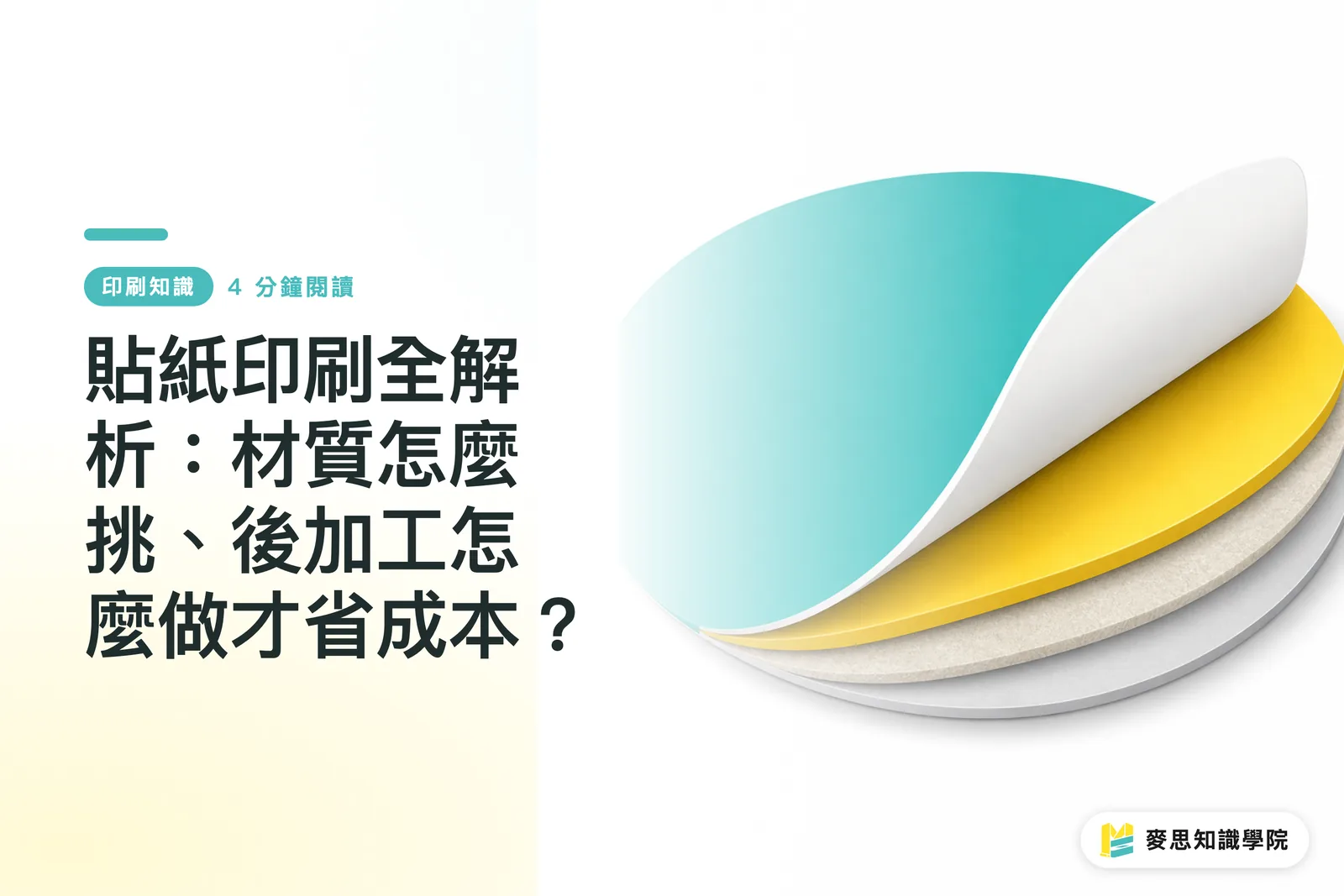
I like to think of it as a tattoo for objects. Its structure is:
・Backing paper: usually a thick white paper that protects the adhesive and the design
・The design itself (vinyl/ink layer): this is your artwork, and it has its own adhesive backing
・Transfer film: the transparent film on top, with weaker adhesive than the backing. Its job is to hold all the separate pieces of a cut-out design in place during application so nothing shifts around
Without that transparent transfer film, your logo can fall apart the moment you peel it. That's why it's so critical for detailed artwork
How to Apply Transfer Stickers Without Messing Up
How to avoid failure: four key steps broken down
Ruining one sticker is no big deal. Ruining a sample or product you hunted high and low for, that hurts. Follow the workflow I've watched our production team run for years and you'll avoid nine out of ten mistakes:
・One, clean the surface thoroughly. This is the step most people skip, and it's the most lethal one. Any oil, dust, or wax will stop the sticker from fully adhering. Wipe it down with alcohol or a stain remover and let it dry completely. Non-negotiable prep
・Two, peel off the white backing. Flip the sticker design-side down and peel the opaque backing from a corner. The design should stay on the transparent transfer film. If the design lifts with the backing, lay it back down, run a fingernail or card across the design a few times, and try again
・Three, position and apply pressure. Holding the transparent transfer film, line up the design where you want it. Starting from the middle or one edge, use a squeegee or credit card at a 45-degree angle to push air and bubbles outward, making sure every detail of the design has firmly stuck down
・Four, peel off the transparent transfer film. This is the most satisfying step. Starting from one corner, pull the transparent film off slowly at a very shallow angle (close to 180 degrees). The design stays perfectly on the surface. If any part lifts with the film, repeat the pressure step
What Temperature and Time Should You Use for Heat Transfer?
Mine needs heat pressing. How do I dial in temperature and time?
If your transfer sticker is going on apparel, canvas bags, or other textiles, that's heat transfer. Temperature, time, and pressure are the three core factors that determine how well it sticks
There's no single number that works for everything. It depends heavily on your transfer film material and the fabric you're pressing onto. But I can give you an industry baseline to test with:
・For a standard cotton T-shirt, many DTF (direct-to-film) or HTV (heat transfer vinyl) films give solid results at 140–160°C with medium pressure, pressed with an iron or heat press for 10–15 seconds
Keep in mind, this is a starting point, not the destination. For polyester or moisture-wicking performance fabrics, you'll likely need to dial the temperature down to avoid scorching the material. The most reliable data always comes from your material supplier. Before you run a production batch, test on a scrap piece of fabric. That insurance policy is worth it
Hot Peel or Cold Peel After Pressing? How to Know When to Remove the Film
Hot peel or cold peel? Reading the room on film removal timing
Once you've finished pressing, when do you pull off that top transparent film? In the trade we call this choosing between a hot peel and a cold peel, and it's a question that comes up all the time
・Hot peel: peel right after pressing. Fast, efficient, good for high-volume runs. The catch is some films will stretch or distort slightly when peeled hot
・Cold peel: leave it alone after pressing, wait until it's fully cooled to room temperature, then peel. Edges come out sharper and adhesion is usually stronger. Especially good for designs with lots of detail or fine lines
My take: when you're not sure how a particular film behaves, cold peel is the safer call. It gives the adhesive time to bond with the fibers. It's slower, but the success rate is the highest
Key Takeaways
・The first step to a successful transfer sticker application is peeling off the opaque backing, not the transparent transfer film
・The three pillars of heat transfer are temperature, time, and pressure. They have to work together; there's no single magic setting
・When in doubt about hot peel vs. cold peel, wait for it to cool and go cold peel. It's the safer bet
・Always clean the surface thoroughly before applying. Even a speck of dust can cause lifting or bubbles
Going Deeper
For designers, the physical limits of transfer need to be considered at the design stage. Anything too fragmented, isolated dots, or lines under 1mm is asking for trouble no matter where in the process you are. Before sending to print, talk to the printer about what material your artwork will end up on. A seasoned production team can tell you right away which method carries the least risk
For printing manufacturers and SaaS service providers, there's huge room to upgrade the service here. What customers are really buying isn't a printed film, it's the result of a successful transfer. That's where an integrator like MINDS has the edge: we can move beyond pure manufacturing and include a custom application guide tailored to that order's film plus the customer's specified fabric, even a QR code linking to a 15-second how-to video. Turning know-how into part of the service. That's what a true one-stop solution looks like
FAQ
- What do I do if my transfer sticker has bubbles?
- If the bubble is small, prick it gently with a pin, then smooth it down with your finger or a squeegee. For a larger bubble, carefully lift the sticker from one corner up to the bubble, then press it back down flat with the squeegee and reapply
- Why is my design coming off with the transparent film?
- Two main reasons: either the pressure during application wasn't enough and the design didn't fully bond to the surface, or the transfer film's adhesive is too strong or you're peeling at the wrong angle. Try a shallower peel angle (close to 180 degrees) and pull slowly
- Do all transfer stickers require heat?
- No. There are two main types. One relies on pressure alone for adhesion, used on hard, smooth surfaces like walls, glass, or vehicle bodies. The other is heat transfer, which actually needs heat and is used on fabrics, leather, and other textiles
Related articles


The Print × AI weekly
The print and AI know-how designers, brands and enterprises can use before they commit — one email, every week
MINDS Free Tools
Spine width and imposition calculators — skip the manual math, free in your browser.
MINDS Group
Need actual printing or gifting services?
From premium printing to online ordering and festive gifts — the MINDS Group sister brands take it from here.