

What is the optimal resolution to keep large format prints from looking blurry?
One of the most common disasters I see on the production floor is a designer sending a 3-meter poster file at 300 dpi
Not only will files like this crash your computer, but they are also a meaningless burden for the printer
While standard business cards or catalogs held in hand do indeed require the detail of 300 dpi,
the core logic of large format printing is that 'viewing distance dictates resolution.'
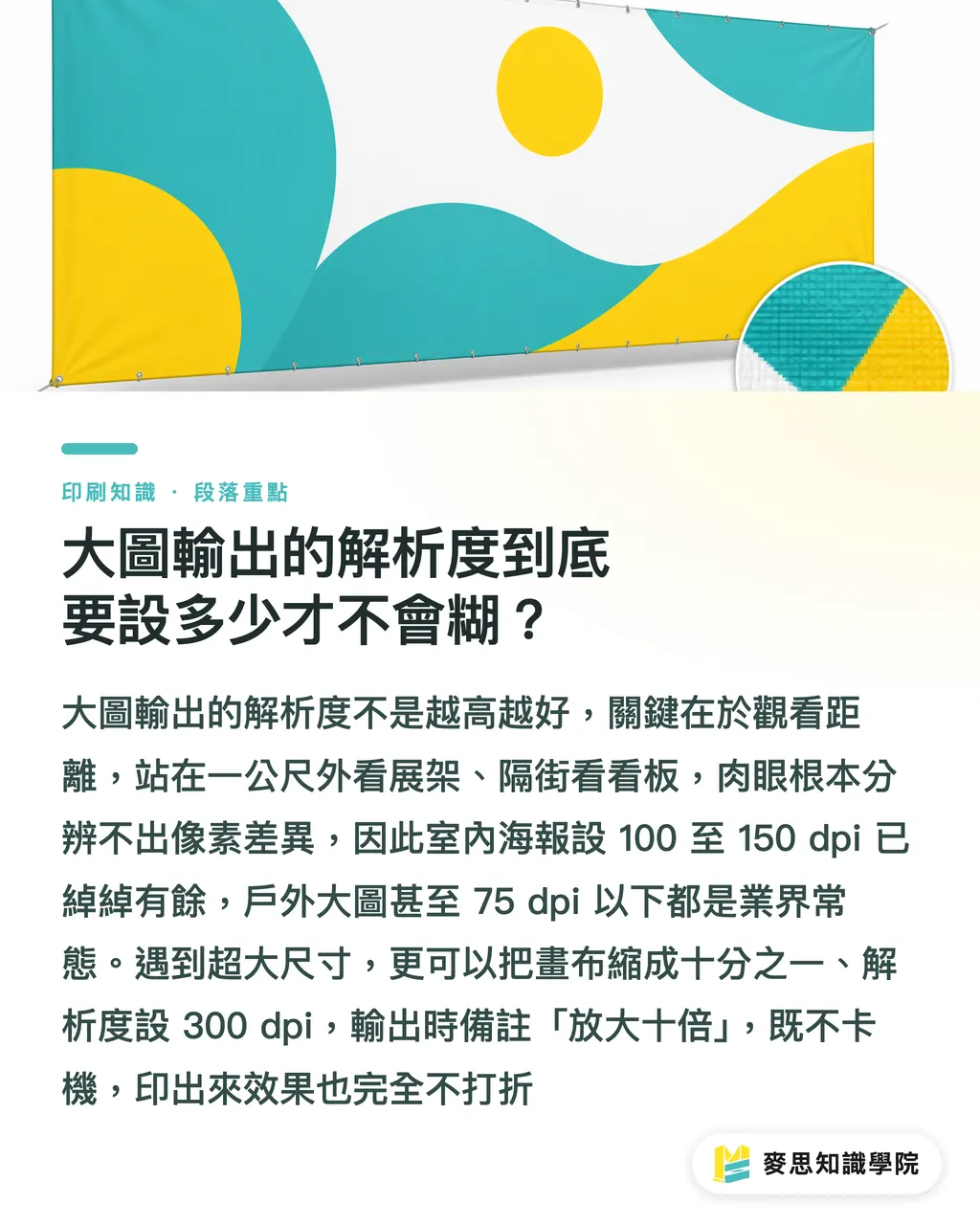
When an audience looks at an X-stand from a meter away, or views a billboard across the street, the human eye simply cannot distinguish those tiny pixel differences
・Close-up viewing (e.g., indoor posters, exhibition stands): Setting it between 100 and 150 dpi is perfectly clear
・Long-distance viewing (e.g., large outdoor canvas): Dropping to 75 dpi or even lower is standard industry practice
・File setup for giant sizes: When encountering ultra-large billboards, you can simply reduce the canvas in your software to 1/10th scale while setting the resolution to 300 dpi
・Before sending the file, just note 'Scale up by 10x for final size.' The machine will output at 30 dpi, easily solving the issue of files being too large and causing system freezes
How to choose materials for indoor displays versus outdoor billboards?
Whenever a client asks me what material to choose for a large format print, I always ask three questions: What is the size? Where will it be placed? How long do you plan to use it?
The cost of choosing the wrong material is high, fading in less than a week outdoors, or leaving stubborn adhesive on the wall when dismantling the exhibit, are painful lessons paid for with money
Understanding the characteristics of the following common materials allows you to cover over 90% of application scenarios
・Best for outdoor durability: PVC canvas with anti-UV ink. It is weather-resistant, sun-proof, and waterproof, suitable for building exteriors and roadside advertising
・Flash applications for exhibitions: PP photo paper or synthetic paper. It has a smooth surface and excellent color saturation, usually topped with a matte or glossy lamination for protection, suitable for X-stands and retractable banners
・Smoothing wall wraps: PVC self-adhesive vinyl offers a flat, seamless fit. However, if you have short-term removal needs, be sure to confirm with the vendor whether you need a low-tack adhesive material
・Complete 3D displays: Printed paper or vinyl can be mounted on foam board or synthetic board. Their rigid characteristics are perfect for making photo booth props or 3D lettering
Essential post-processing and file checks before sending to print
What looks flawless on the screen but turns out missing text or getting cropped during printing is the most common lament I've heard in over a decade in the industry
Post-processing for large format printing is much more complex than standard paper printing. From trimming and hemming to grommeting, every action eats into the edges of the artwork
Treat the following actions as your final line of defense before sending to print to block the most common disasters on the production side
・Always create outlines for fonts: Just like printing business cards, not converting fonts to curves is a huge mistake. Large format files flow between different computers, increasing the risk of missing fonts or shifted strokes
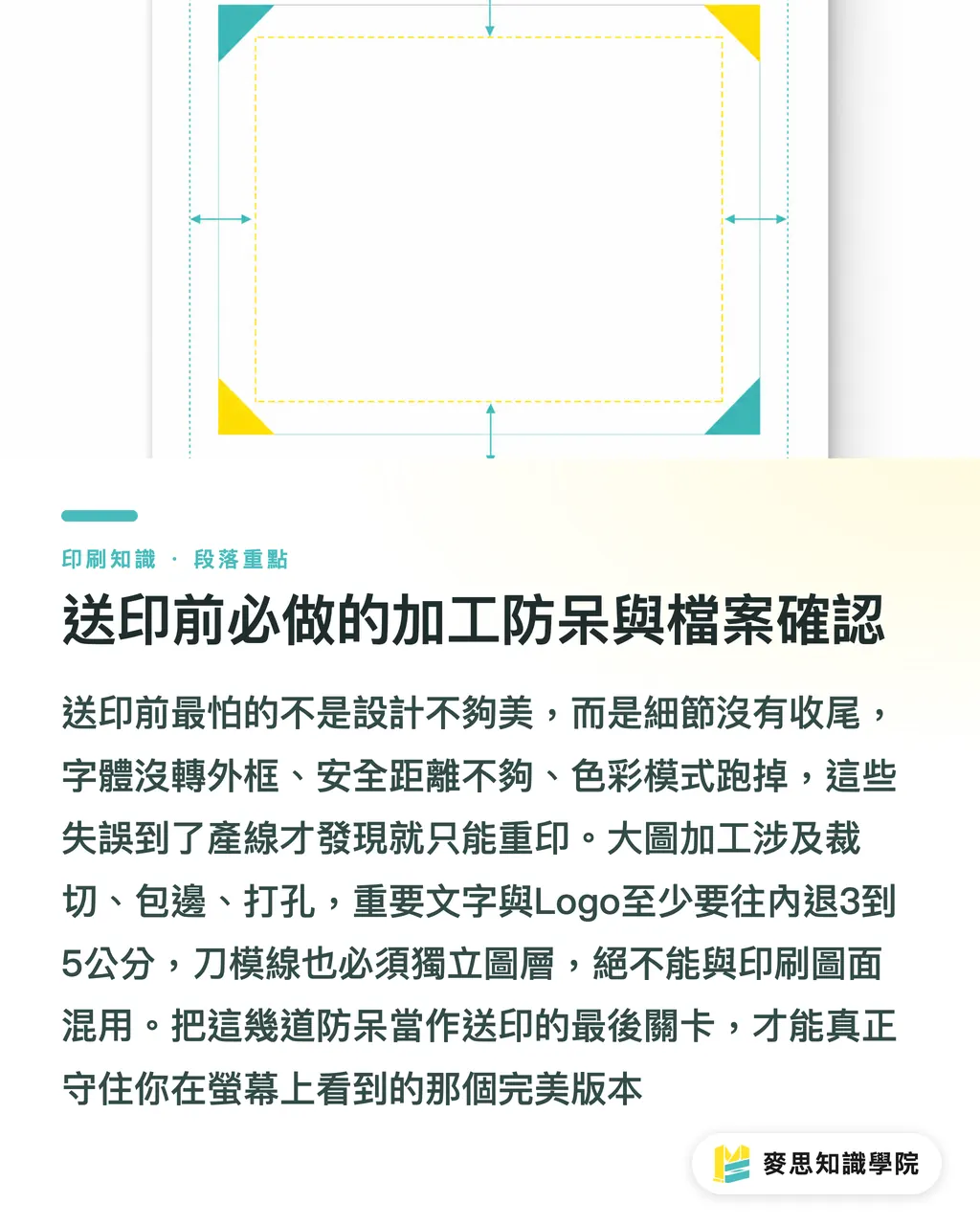
・Reserve extreme safety margins: While 3mm is fine for business card bleeds, large format (especially canvas) often requires hemming and grommets. It is safe to push important text and logos inward by at least 3 to 5 cm
・Confirm color and size specifications: Keep files in CMYK color mode at all times, and clearly state the 'actual final output size' and 'scaling ratio' on the filename or job order
・Clarify trimming and mounting requirements: If there are additional die-cutting or mounting requirements, be sure to create a separate dieline layer in the file; never mix it with the artwork layer
Key Takeaways
・Viewing distance determines resolution; 75 dpi is sufficient for long-distance viewing. Flexibly use a 1/10th scale to save computer performance
・For outdoor weather resistance, choose canvas with UV ink. For indoor color vibrancy, choose PP photo paper. Use the three variables of 'size, location, and duration' to narrow down material options
・Large format post-processing eats into the edges; important artwork and logos must be retracted 3 to 5 cm inward to avoid grommets and hemming
・Strictly execute font-to-outline conversion before sending files, and clearly mark the final true scale and dimensions in the filename
Extended Reflections
Many people think large format printing is just scaling up small files infinitely, but it is actually the first phase where graphic design interacts with physical space
Based on my accumulated production experience, the best approach is to involve a printing consultant during the design sketch phase
Teams with integration capabilities like MINDS can help you avoid landmines like incompatible materials or processing that damages the visual composition ahead of time
Leave these troublesome physical variables for the professionals to watch, so designers can focus on perfecting the visuals
FAQ
- How does large format printing differ from standard poster printing?
- Standard printing uses 300 dpi for close-up details. Large format printing, due to the further viewing distance, is capable with 75 to 150 dpi. Also, materials are often non-paper substrates that are waterproof or weather-resistant
- What should I do if the file for a large outdoor canvas is too big to work with?
- Reduce the composition canvas to one-tenth of the original size and set it to 300 dpi. When sending it to print, note that it should be scaled up by ten times. The machine will actually output at 30 dpi; the image will not be blurry, and the file size will be extremely small
- What materials are recommended for the best look on X-stands and retractable banners?
- The most common and effective materials are PP photo paper or synthetic paper. They have smooth surfaces and excellent color performance. It is usually recommended to pair them with glossy or matte lamination to increase protection and texture
- How much safety margin should really be left at the edges of a large format file?
- Unlike business cards that only require a 3mm bleed, if a large format print involves hemming or hole-punching (like tying grommets), important content must be at least 3 to 5 cm away from the edge to avoid damage
Related articles





The Print × AI weekly
The print and AI know-how designers, brands and enterprises can use before they commit — one email, every week
MINDS Free Tools
Imposition calculator and preflight file check — free prepress tools, right in your browser.
MINDS Group
Need actual printing or gifting services?
From premium printing to online ordering and festive gifts — the MINDS Group sister brands take it from here.