
Can AI-generated images be used directly for embossing?
Many people want to use AI to generate 3D relief patterns directly for packaging, but in real production, a flat 2D image cannot be sent straight to a machine for plate engraving. To cross that line, you need to create a grayscale depth map, converting the visual image into three-dimensional height data that a plate maker can read. When advising clients on the front line, I often say that it is essential to understand the three checkpoints for submitting files to MINDS (MS, mid- to high-end fully custom commercial printing): the first checkpoint is confirming whether the file resolution and grayscale levels are strong enough to support physical engraving and finishing
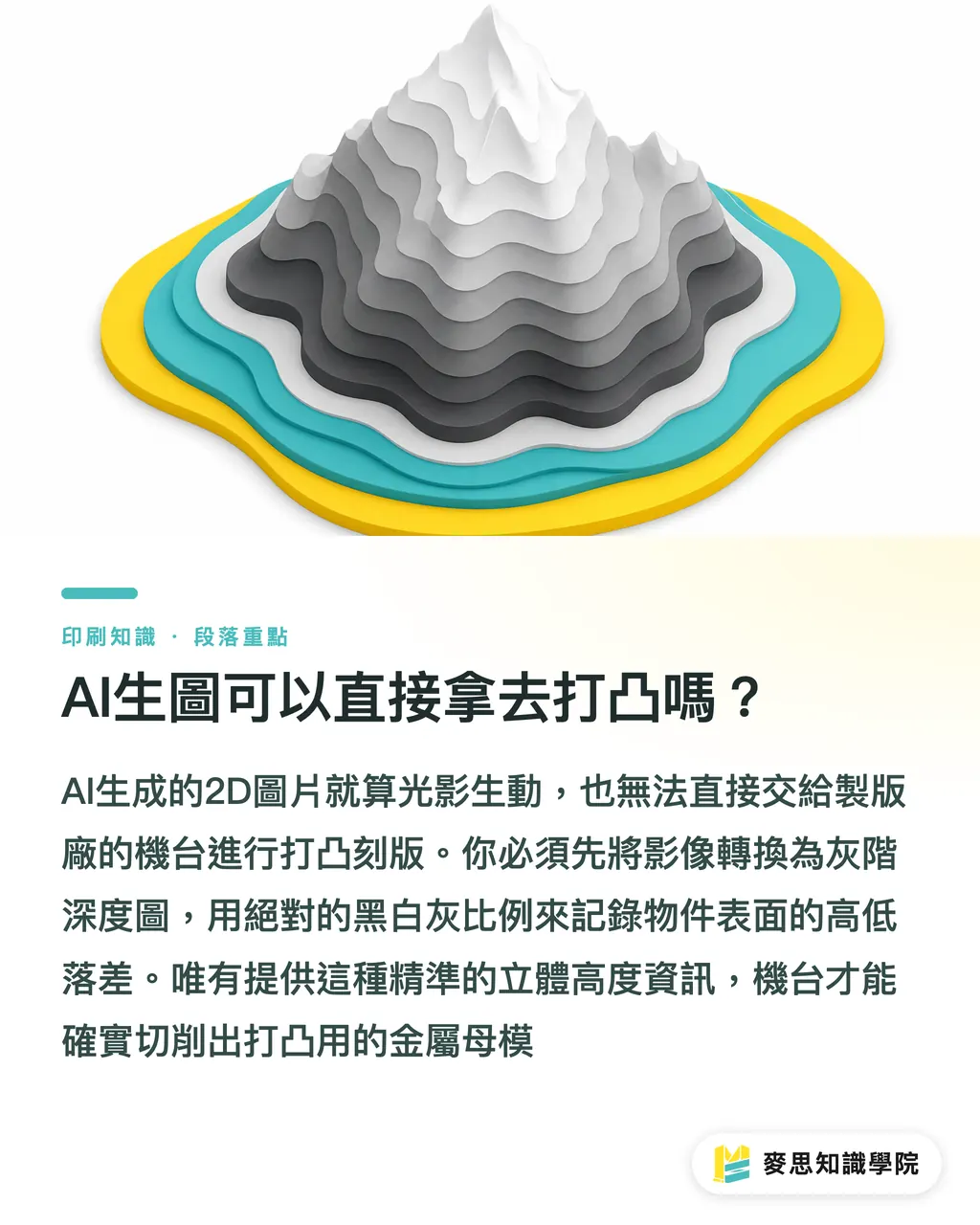
A Depth Map is an image format used in 3D graphics and AI generation that records surface height variation through grayscale values. Pure black represents the deepest recess, pure white represents the highest raised area, and the gray values in between correspond to different height levels. It is the key intermediate file that turns a flat image into a three-dimensional relief
Many designers now use Midjourney to generate elaborate three-dimensional decorative patterns, or use Stable Diffusion with added models to extract object depth. The light and shadow that look vivid on screen mean nothing to a plate-making machine. The plate maker needs absolute black, white, and gray relationships so it can cut a metal plate and produce a mold with real height differences
How is a grayscale depth map converted into an engraving file the machine can read?
When you hand over a finished depth map, the plate maker's engineer will convert those grayscale values into Z-axis data for a CNC engraving machine, or break them down into multi-level black artwork for embossing
・Single-level black artwork: the pattern has only two states, raised or not raised. This is the most common form of traditional embossing
・Multi-level embossing plate: using the rich grayscale generated by AI, the machine can engrave a 3D copper or zinc plate with graduated height
Take high-end cosmetic packaging as an example. Those rose-petal reliefs with soft, rounded gradients are positioned by fine grayscale transitions. If the depth map you provide has only harsh black-and-white contrast, or if the grayscale transition contains too much noise, the engraved metal plate will be full of pitting. The final pressed result will be painful to look at
Why does a relief that looks perfect on screen crack the paper in print?
This is the disaster I have seen most often over the past six months. A designer uses AI to generate an extremely complex, sharp three-dimensional motif. The plate is engraved without issue. Then the job goes onto the embossing machine, and the paper splits right along the edge
The problem is that AI does not understand physical limits, but paper has them. Paper thickness, fiber length, and toughness determine how much stretching it can withstand. When the depth map from AI has too large a grayscale jump between adjacent areas, meaning the height difference is extremely steep, the paper fibers burst the moment heavy pressure is applied
・Weight and thickness: paper that is too thin breaks easily. Paper that is too thick, such as heavy card over 350g, can still crack from the side if it lacks toughness and the embossing is too deep
・Fiber direction: paper has a grain direction. If a complex embossed pattern happens to run perpendicular to the paper grain, the chance of cracking rises sharply
・Graphic sharpness: sharp angles and dense clusters of tiny raised points are killers for paper fibers
If you are unsure about the physical limits of a design early on, I strongly recommend bringing in the consulting team at Mai Strategy Knowledge Academy as soon as possible. From paper selection and humidity control to safe embossing depth, experienced consultants can help you hit the brakes while you are still in the design stage
From Image Generation to Final Artwork: What Files Should Designers Prepare for the Plate Maker?
I have seen AI tools save designers a huge amount of early-stage image-carving time. But to make the path from screen to press run smoothly, you still need to step in and clean up the file during the final stretch
・Make sure the resolution is high enough: native AI output is usually not large enough for print. Use a lossless upscaling tool to increase the pixel count and make sure grayscale edges do not show jagged artifacts. On screen, jaggies are only a few pixels of difference. On a metal plate, they become ugly stair-step marks
・Manually clean up noise: AI-generated images often leave tiny grayscale fluctuations in backgrounds or flat areas. Before sending the file to print, open it in image-editing software and make the areas that should be flat into solid color. Otherwise, the blank areas in the pressed result will be full of orange-peel texture
・Soften the edges: for grayscale boundaries with excessive jumps, apply a suitable amount of feathering or blur. This is equivalent to adding a bevel on the physical engraved plate, and it can greatly reduce the risk of paper cracking
It is fine to treat AI as an idea generator for proposals. But if the final goal is high-quality physical packaging, you still need a grounded understanding of material behavior. If you need a test print or want to confirm a premium embossing effect, the MINDS (MS) team can provide hands-on technical support
Key Takeaways
・A 2D image cannot be used directly for embossing. It must be converted into a grayscale depth map that the plate-making machine can understand
・Grayscale transitions determine how smooth and rounded the three-dimensional engraving will be. Too much noise will directly ruin the flatness of the physical plate
・AI does not understand the physical limits of paper fibers. Excessive grayscale jumps and sharp graphics can easily cause paper to crack
・Before sending a file for plate making, manually clean background noise and soften sharp edges. This determines the final finish of the product
Further Thoughts
Using AI to generate 3D relief patterns does save a lot of the time normally spent relying on 3D modelers. For packaging designers, it makes it possible to present visually powerful physical mockups at the proposal stage. But if software companies want to stand out in the print SaaS space, the next question is how to build printing physics parameters directly into generation tools. For example, when generating a depth map, the tool could automatically warn about potential paper-cracking points or mark safe grayscale ranges. That is the real key to connecting digital and physical production and solving pain points on the production line
FAQ
- Can AI-generated images be sent directly to a print shop for embossing?
- No. The print shop needs a grayscale depth map or a converted engraving file. A flat image with only light and shadow does not let the machine determine where the design should rise and where it should sink
- What do black and white represent in a depth map?
- In general, pure black represents the deepest recessed part of the design, pure white represents the highest raised area, and the gray values in between correspond to graduated heights in the three-dimensional structure
- Why does the edge still crack when I emboss thick cardboard?
- Paper thickness is not the only factor. Fiber toughness and the sharpness of the depth-map edges matter even more. If the height difference in the graphic is too steep, even thick cardboard cannot keep its surface fibers from cracking under pressure
- What must I do before sending a depth map to print?
- You must enlarge and clean the image in graphics software. Remove grayscale noise completely from the background and flat areas, and soften overly sharp edges where the height difference is too large. Otherwise, the finished plate will come out uneven
Related articles


The Print × AI weekly
The print and AI know-how designers, brands and enterprises can use before they commit — one email, every week
MINDS Free Tools
AI background removal, brand stamping, and a LINE sticker maker — free design tools, right in your browser, no upload.
MINDS Group
Need actual printing or gifting services?
From premium printing to online ordering and festive gifts — the MINDS Group sister brands take it from here.