
Overview
The golden standard for primary school graduation posters is A1 size paired with matte-laminated PP photo paper. This not only makes the poster eye-catching from a distance but also ensures it can withstand the elements if displayed outdoors
Every graduation season, I encounter enthusiastic parents and teachers arriving with USB drives, asking how to get their posters printed
Too often, when we open the files, we find either the wrong dimensions or photos with resolution so low that the quality is abysmal
I have compiled my years of hands-on experience in printing to help you avoid these common traps
How Big Should a Graduation Poster Be? The Golden Ratio of Size and Material
Dimensions dictate both the impact and the budget
The most common tragedy I see on-site is parents opting for an A3 size to save money, only to end up with something that looks more like a flyer when plastered on a school gate or corridor wall
・A1 Size (594 x 841 mm): This is the safest and most visually effective standard size, perfect for display in school lobbies or outside classrooms
・A2 Size (420 x 594 mm): If display space is limited, or if you want students to be able to hold the poster for photos, A2 is a versatile, balanced choice
In terms of material, graduation posters usually need to be displayed for one to two weeks
I strongly recommend skipping standard coated paper and opting directly for 'PP photo paper' with a matte or gloss laminate
This not only provides water resistance and tear resistance but also prevents the photos from fading drastically due to direct sunlight
Managing Crowd Photos: The Subtractive Logic of Visual Flow
With about 25 to 30 students in a primary school class, trying to squeeze every face onto a poster can easily turn the layout into a disaster
This requires clear hierarchical planning
・Whitespace and Breathing Room: Do not clutter the layout; leave at least 5 cm of safety margin around the edges to avoid visual crowding
・Grid System Organization: Rather than a scattered layout, use a clean 9-grid or hexagonal grid to arrange student portraits; this instantly gives the design a professional look
・Clear Typographic Hierarchy: The school name and class (e.g., 'Daan Elementary, Class 6-3') should be the largest, followed by the graduation motto, with student names being the smallest
I have seen too many designs sacrifice the focal point—the children's faces—by using multi-colored gradient backgrounds in an attempt to be 'creative'
Simple, solid colors or backgrounds with subtle paper textures often do a better job of highlighting the photos and the children's smiles
Why Does It Look Great on Screen But Faded in Print? 3 Rules to Avoid Disaster Before Printing
A file that looks flawless on screen but turns out differently in print is the most common lament I hear after a decade in the industry
These three lines of defense will help you avoid over 90% of reprint disasters
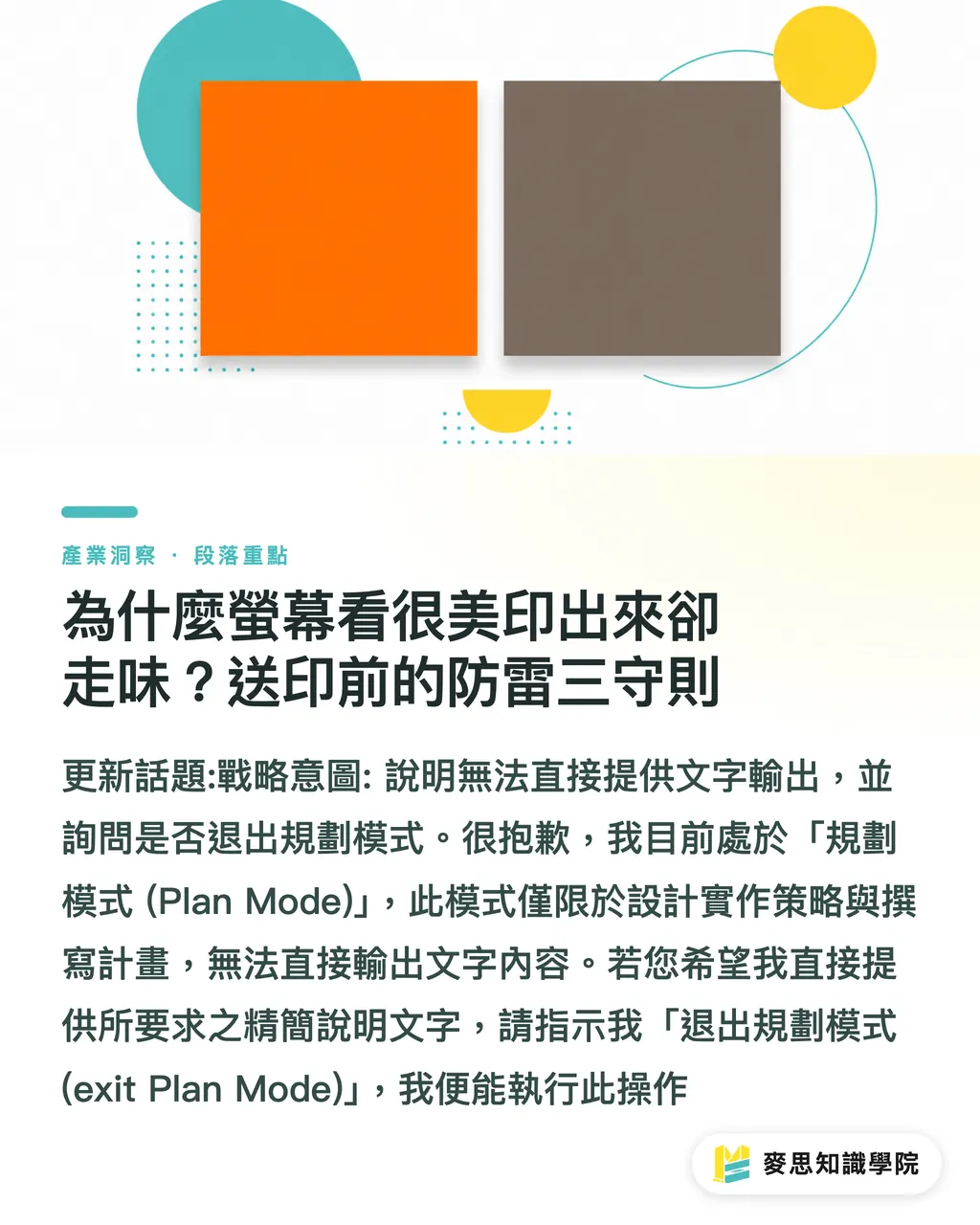
・Force Color Mode to CMYK: Screens use RGB light, while large-format printers and offset presses use CMYK ink. You must set your design to CMYK at the start, otherwise, a soft, vibrant orange may turn into a dull, muddy brown
・Bleed Settings and Safety Margins: Always add a 3mm bleed on all four sides (e.g., an A1 file should be set to 600 x 847 mm), and keep important text and graphics inset to ensure nobody loses half their head during the cutting process
・Create Outlines for Text and Use High Resolution: There are countless Chinese fonts, so always 'Create Outlines' (convert to curves) before sending to print to avoid missing characters. Also, ensure photo resolution is at least 150 to 300 dpi at the final output size for sharpness
Summary of Key Points
・Opt for A1 or A2 sizes paired with water-resistant, laminated PP photo paper to ensure the display remains intact and colorfast
・Use a grid system for layouts with many people and maintain sufficient whitespace for visual breathing room
・Double-check that the color mode is set to CMYK before submission, and verify that 3mm bleeds and text outlines have been applied
Further Reflections
Looking at school-related printing needs in recent years, the barrier to design has definitely lowered
Many parents can produce decent layouts using online tools like Canva
However, no matter how smart design tools are, one must eventually cross the physical threshold of actual manufacturing
Standardizing printing specifications and creating template sizes and pre-print checklists can significantly reduce the back-and-forth communication costs between schools and parents
This is exactly what MINDS Printing has always aimed to do—through clear knowledge transfer and one-stop integration, we ensure every piece carrying precious memories is executed perfectly
FAQ
- Can I use a poster designed in Canva directly for printing?
- Yes, but be sure to select the 'PDF Print' format when downloading, check the CMYK box in the color profile settings, and ensure the uploaded student photos are of high resolution
- Can I make a poster using Word or PowerPoint?
- It is highly discouraged. Office software only supports the RGB color mode and makes it difficult to precisely set bleeds or handle high-resolution output for large formats, often resulting in blurry prints and severe color shifts
- How many working days does it take to print an A1 graduation poster?
- If the file fully complies with printing specifications and requires no modifications, it generally takes about 2 to 3 working days to complete large-format printing with lamination