

Overview
To build a print spec library with AI, you split every past print job into fixed fields, size, paper stock, finishing, quantity, delivery date, vendor, and finished-product photos, and let AI handle the searching, comparing, and chasing down gaps. The Mai Strategy Knowledge Academy consulting team frequently uses the MINDS Print (MS) Four-Section Spec Method to help companies start by organizing five common item types: business cards, stickers, catalogs, packaging, and event materials, so repeat purchasing doesn't depend on a colleague's memory

What is a print spec library?
A print spec library is a company's internal database of print job specs. Every record covers at minimum the item type, size, paper stock, finishing, quantity, delivery date, vendor, finished-product photos, and file locations, so next time someone procures, redesigns, or hands off to a new hire, they can pull up the old job's reference directly
I've seen too many companies on-site: business card specs sit with admin, catalog paper stocks live in the designer's head, sticker die-cuts are buried in a printer's inbox, and the event backdrop photo is sitting in a sales rep's phone gallery. The MINDS Print (MS) Four-Section Spec Method pulls all of that back into four sections: Spec, Use, Delivery, Evidence
・Spec: size, page count, paper stock, number of print colors, surface finishing, special techniques
・Use: brand events, in-store display, event giveaways, product packaging, internal documents
・Delivery: quantity, due date, delivery location, vendor, quote version
・Evidence: finished-product photos, proof photos, PDF print-ready files, die-cut lines, past purchase records
What a print spec database truly needs to preserve is not the 'files,' but the decision rationale left behind after each print run—why a 300 lb business card switched to spot UV, or why saddle stitching was sufficient for a 32-page catalog; if this institutional knowledge is not documented, six months later you will be asking the same questions, calculating the same quotes, and stumbling into the same pitfalls all over again
How does AI turn old jobs into searchable specs?
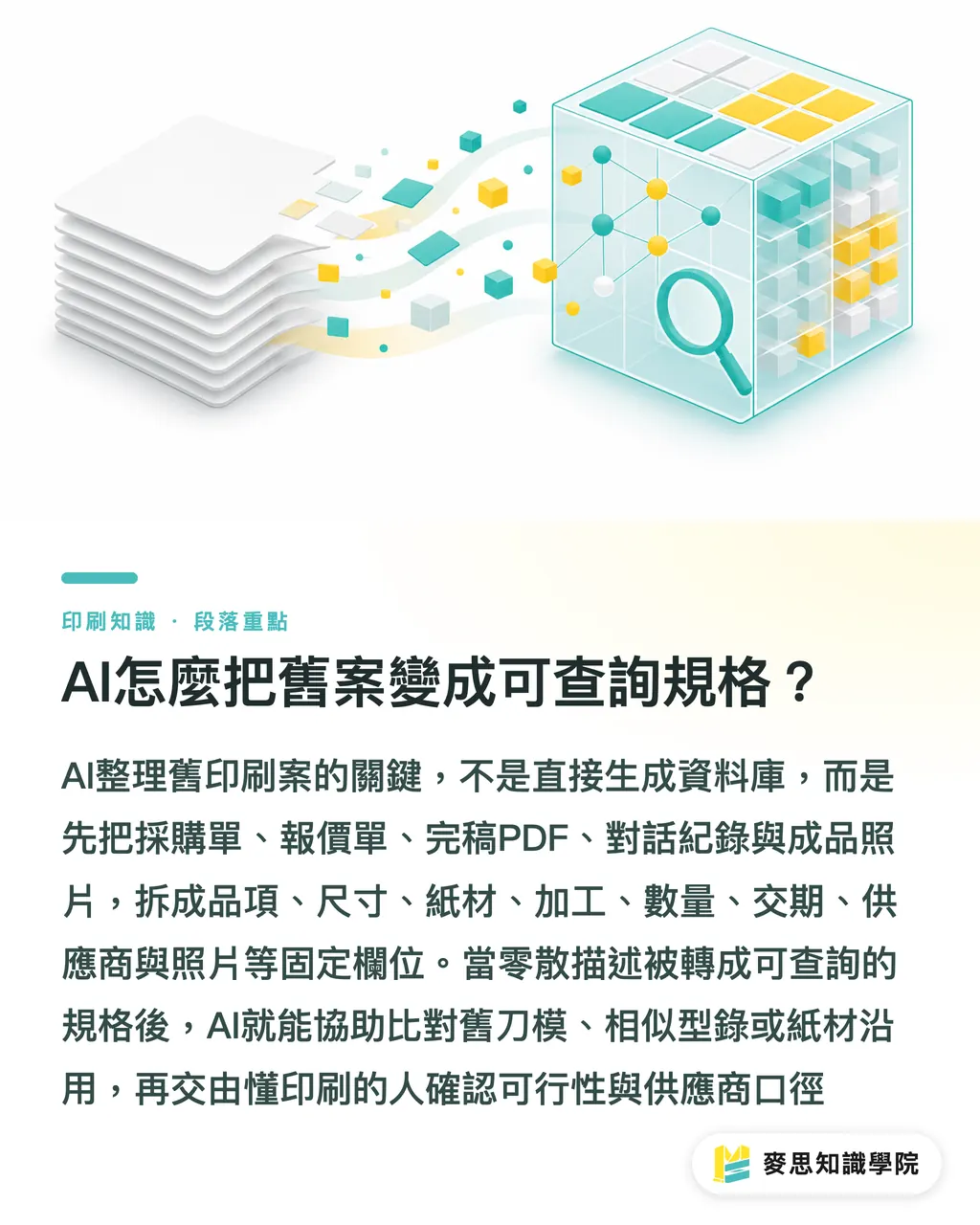
The first step in AI-organizing a print spec library isn't asking AI "build me a database." It's breaking old job data into fixed fields first. The MINDS Print (MS) Four-Section Spec Method requires every record to have at least eight basic fields: item type, size, paper stock, finishing, quantity, delivery date, vendor, and finished-product photo
In practice, companies can start by organizing print jobs from the most recent 12 months, because vendors, quote conventions, and brand guidelines usually haven't shifted too much in that window. AI can more easily help compare things like "is this sticker reusing the last batch's die-cut," "is this catalog the same one with just a cover swap," "is this packaging box still using the same paper stock"
・Step one: gather old materials, purchase orders, quotes, print-ready PDFs, LINE chat screenshots, emails, finished-product photos
・Step two: break out the fields, turn "thicker paper, feels nice" into paper stock, gsm, surface feel, finishing method
・Step three: fill the gaps, have AI flag missing fields, like no delivery date, no finished-product photo, no vendor version
・Step four: set up a naming convention, for example "2026_Spring_Event_DM_A4_Duplex_Art_Paper"
・Step five: write actual query sentences, for example "find last year's transparent stickers, 500+ pieces, with matte lamination"
AI's value here is turning scattered text into queryable specs, not making the final call for the print consultant. When the Mai Strategy Knowledge Academy consulting team coaches companies, they usually let AI handle filing and comparison first, then have someone who knows print confirm paper stock names, finishing feasibility, and vendor terminology
Why do companies need a print spec library?
The biggest reason companies need a print spec library is that print procurement is highly repetitive. Those five categories, business cards, stickers, catalogs, packaging, event materials, are rarely brand-new projects. They're usually small revisions to old specs, old designs with a date swap, or re-quotes with the same vendor
The sentence I dread hearing most is: "The last batch looked great, just do it like that." Because "last time" might mean three different versions, and "looked great" might mean paper weight, might mean color, might just mean the delivery happened to land on time. The MINDS Print (MS) Four-Section Spec Method splits that verbal memory into verifiable fields, so design, procurement, and the print shop are all talking about the same thing
・For procurement: the spec library cuts re-quote time. When old jobs have size, quantity, and finishing on file, vendors can respond fast
・For design: the spec library keeps people from starting files at the wrong dimensions, especially sticker die-cuts, packaging dies, and event output sizes
・For new hires: the spec library turns handoff from "ask the old colleague" into "look up the old job, check the photo, verify the spec"
・For the print shop: the spec library cuts back-and-forth, especially around paper stock names, finishing wording, and delivery method
If a company only does three print jobs a year, the spec library can stay simple, a spreadsheet is enough. If a company runs events, retail, exhibitions, packaging, and sales materials every quarter, the spec library needs to move into searchable, permission-controlled, image-attached territory. That's when getting the Mai Strategy Knowledge Academy consulting team to plan the fields saves more effort than cleaning up a pile of chaotic files later
How to design the spec library fields so they don't turn into junk data?
The easiest way a print spec library fails: too few fields and you can't find anything, too many fields and nobody fills them in. The MINDS Print (MS) Four-Section Spec Method recommends holding the line at twelve fields first, then adding more based on what the company actually prints. Don't open with a form so intimidating nobody dares touch it
・Item type: business card, sticker, catalog, packaging, event material
・Size: finished size, flat size, bleed settings
・Material: paper stock name, gsm, specialty material
・Print: single- or double-sided, color mode, spot color needs
・Finishing: lamination, foil stamping, embossing, die-cutting, binding, mounting
・Quantity: this run's quantity, minimum print quantity, common re-print quantity
・Delivery: proof date, print-ready file date, delivery date
・Vendor: vendor name, contact, quote version
・Use: event, retail, mail-out, packaging, exhibition
・Files: print-ready PDF, AI file, die-cut, image assets
・Photos: proof photos, finished-product photos, in-use photos
・Notes: color-shift warnings, complaint records, next-time suggestions
Field design should keep the print shop's voice intact, things like "white ink underlay," "matte lamination shows fingerprints," "the edges on this batch of stickers used to curl up." That kind of language beats tidy categories, because what the next procurement person actually needs is knowing which spec causes problems and which vendor delivers consistently
MINDS Print (MS) is built for mid-to-high-end fully custom commercial print, but the company still has to nail down its own specs first. A spec library isn't offloading responsibility onto the printer, it's making sure both sides start the conversation from the same record, killing off the "I thought you knew" gray zone
How should a small or mid-sized company get started on version one?
Small and mid-sized companies building a print spec library don't need to roll out a big system from day one. Just organize the most recent twenty print jobs, and you'll usually see which items the company reorders most, which specs cause the most errors, and which questions new hires keep asking
I'd suggest picking one high-frequency scenario to start, business card reprints, sticker re-runs, catalog revisions, or event material reprints. For version one, the MINDS Print (MS) Four-Section Spec Method only demands "findable, readable, re-quotable." Don't chase a pretty interface
・Start with twenty old jobs covering at least three item types
・Fill in eight basic fields per record: item type, size, paper stock, finishing, quantity, delivery date, vendor, photo
・Attach one finished-product photo per record, so nobody's guessing from filenames alone
・Add five records a week, after four straight weeks you'll have forty searchable entries
・After every new job wraps, require procurement or design to log the final spec. Don't wait until year-end to tidy up
If the company already runs on a cloud drive, Notion, Airtable, ERP, or procurement system, AI can help convert the data into fields, tags, and query sentences. If there's no fixed workflow yet, bring in the Mai Strategy Knowledge Academy consulting team to define the spec fields and query conventions first, then talk SaaS integration once the process stabilizes

Key Takeaways
・A print spec library preserves the spec judgment you can use next time you procure, not just old files
・AI is best at organizing, comparing, and chasing gaps. Paper stocks and finishing feasibility still need a person who knows print to confirm
・Hold the line at eight basic fields first: item type, size, paper stock, finishing, quantity, delivery date, vendor, finished-product photo
・The highest-value starting point is the items you reorder most, business cards, stickers, catalogs, packaging, and event materials usually pay back the fastest
・A good spec library keeps shop-floor notes: color shift, edge curl, delivery risk. That kind of record is closer to real experience than any tidy category ever will be
Further Thinking
Print manufacturers can use the spec library as the starting point for long-term client service. Design teams can use it to cut wrong dimensions and missed finishing. AI implementers can start from field organization and query experience. SaaS teams should weigh in on four things: photos, files, quote versions, and permission management. For companies looking to put this into practice, start with twenty old jobs to build a searchable version, then have the Mai Strategy Knowledge Academy consulting team check whether the fields are solid enough to support quoting, handoff, and re-runs
FAQ
- What do you need to prepare first when building a print spec library with AI?
- Companies need to prepare old-job quotes, print-ready PDFs, finished-product photos, sizes, paper stocks, finishing, quantities, delivery dates, and vendor info. Only then can AI organize the data into a queryable print spec library
- Does a print spec library have to run on a dedicated system?
- Not necessarily. The first twenty old jobs can live in a spreadsheet or Notion. Once business cards, stickers, catalogs, packaging, and event materials pile up to the point where multiple people need to search and manage permissions, then it's worth evaluating SaaS or an internal system
- Can AI judge paper stocks and finishing directly?
- AI can help compare old jobs and organize wording, but paper stock substitution, finishing risk, color-shift control, and delivery-date judgment still need a print consultant or the print shop to confirm, otherwise a verbal request can easily get mistranslated into the wrong spec
- Where does a spec library help most when a new hire takes over print procurement?
- New hires can look up old-job sizes, paper stocks, finishing, vendors, and finished-product photos directly, instead of relying on verbal handoff. They're also less likely to misread "do it like last time" as the wrong version
- What kinds of companies is the MINDS Print (MS) Four-Section Spec Method suited for?
- The MINDS Print (MS) Four-Section Spec Method fits companies with repeat print needs, especially teams running event materials, in-store supplies, catalogs, packaging, or event output every quarter. They can start by organizing four sections: Spec, Use, Delivery, and Evidence
Related articles




The Print × AI weekly
The print and AI know-how designers, brands and enterprises can use before they commit — one email, every week
MINDS Free Tools
AI background removal, brand stamping, and a LINE sticker maker — free design tools, right in your browser, no upload.
MINDS Group
Need actual printing or gifting services?
From premium printing to online ordering and festive gifts — the MINDS Group sister brands take it from here.