
Pourquoi faut-il souvent trois allers-retours avant d'obtenir un devis ?
Quiconque a déjà contacté un imprimeur connaît cette situation : vous dites « Je voudrais imprimer des flyers », on vous répond « Quel format et quelle quantité ? » ; vous dites « A5, 500 exemplaires », on vous demande « Recto ou recto-verso, et sur quel papier ? » ; vous dites « Recto-verso, papier couché », et on vous demande encore « Quel grammage, mat ou brillant, et quelles finitions ? »
Ce n'est pas de la mauvaise volonté de la part de l'imprimeur, mais un manque d'informations. Un devis d'impression dépend d'au moins une dizaine de variables ; chaque donnée manquante oblige le commercial à relancer le client. Après plusieurs échanges, le devis arrive enfin, mais vous avez déjà perdu deux jours
Au sein de la Académie du savoir Mai Strategy, nous appelons ce gaspillage de communication « la friction de demande de devis ». Elle ne consomme pas seulement du temps, mais entame aussi la réactivité de votre interlocuteur. Face à un client à qui le commercial a dû écrire trois fois sans obtenir de cahier des charges complet, votre dossier sera naturellement relégué au second plan la fois suivante
Que faire structurer par l'IA ? Neuf questions clés à se poser
Avant de laisser l'IA organiser votre liste de questions, vous devez clarifier ces neuf dimensions :
・Contexte d'utilisation : Où ce produit sera-t-il utilisé, par qui et combien de temps ? (Un dépliant glissé dans un sac, un kakemono exposé trois jours sur un salon ou une chemise de présentation conservée un an au bureau requièrent des supports très différents.)
・Format : Avez-vous des dimensions précises ou pensez-vous juste à « environ du A4 » ? (Le mot « environ » signifie que la discussion est loin d'être close.)
・Support : Préférence de papier, supports spéciaux (papier nacré, papier synthétique, papier kraft) ou incertitude totale ?
・Finitions et façonnage : Pelliculage brillant/mat, dorure à chaud or/argent, découpe à la forme, vernis machine/vernis brillant, type de pliage... Chaque option influe sur le coût et les délais de fabrication
・Quantité : Un volume précis ou une fourchette envisagée. (La logique tarifaire entre 500 et 5000 exemplaires est totalement différente ; demander l'estimation de deux volumes différents s'avère bien plus utile.)
・Délai de livraison : La date réelle à laquelle vous devez recevoir les produits, et non la mention « le plus vite possible »
・Nécessité d'un BAT physique : Un BAT ou une épreuve couleur est indispensable pour un nouveau design imprimé pour la première fois, des exigences chromatiques élevées ou le respect d'une charte graphique. Si vous ne le spécifiez pas, l'imprimeur peut parfois faire l'impasse sur cette étape
・Format des fichiers : De quoi disposez-vous actuellement ? De fichiers AI, PSD, PDF ou seulement d'un document Word ?
・Lieu de livraison : Retrait à l'atelier, livraison par transporteur à une adresse ou répartition sur plusieurs sites
L'IA peut vous aider à extraire ces neuf questions à partir d'une description informelle de vos besoins, tout en complétant les aspects auxquels vous n'auriez pas pensé
Comment faire structurer vos besoins par l'IA ? Une trame prête à l'emploi
Les instructions fournies à l'IA n'ont pas besoin d'être très formelles, mais requièrent des données de base. Soumettez cette description à ChatGPT ou à tout autre outil d'IA de votre choix :
« Nous organisons une fête de fin d'année d'entreprise et nous avons besoin d'invitations. Environ 500 à 1000 exemplaires, avec un aspect qualitatif. C'est pour le début du mois prochain, et j'ai déjà le fichier Illustrator. Aide-moi à préparer la liste des éléments à confirmer avant de contacter l'imprimeur, ainsi que les questions dont je n'ai pas encore la réponse. »
La liste générée par l'IA sera généralement plus complète que celle que vous auriez rédigée vous-même, car elle n'oubliera pas de soulever des détails comme : « Faut-il aussi imprimer des enveloppes ? », « Faut-il prévoir un rainurage pour faciliter le pliage et l'écriture ? », ou encore « Les angles des cartes doivent-ils être arrondis ? »
Cependant, voici un principe fondamental que l'équipe de consultants de MINDS (impression commerciale haut de gamme 100 % sur mesure) s'efforce de transmettre à ses clients : la liste structurée par l'IA compile « les questions que vous devez valider » et non « un cahier des charges technique prêt à être envoyé à l'atelier »
Pourquoi ne pas se fier aveuglément à la liste technique générée par l'IA ?
L'IA ignore les contraintes techniques du parc de machines de l'imprimeur sélectionné, tout comme l'état en temps réel de ses stocks de papier
Voici quelques situations concrètes rencontrées sur le terrain :
・Un client a demandé un devis basé sur la fiche technique de l'IA spécifiant : « A5, 250 gsm, pelliculage mat ». Or, la presse de l'imprimeur ne gérait qu'un grammage maximal de 230 gsm, ce qui aurait causé des problèmes de passage papier avec du 250 gsm
・Dans un autre dossier, le client avait exigé du papier nacré. L'imprimeur n'en ayant pas en stock, il fallait attendre deux semaines pour l'approvisionnement avant de lancer l'impression. Le client a alors cru que le prestataire faisait traîner les choses
・En termes de finitions, l'IA suggère fréquemment un « vernis sélectif UV ». Cependant, tous les ateliers ne possèdent pas cet équipement ; le recours à la sous-traitance rallonge alors le délai de fabrication et augmente les coûts
L'usage adéquat de la fiche technique générée par l'IA consiste donc à la valider avec le chef de fabrication ou le commercial, afin de confirmer la faisabilité et les ajustements requis, plutôt que de la traiter comme un bon de commande définitif
Comment utiliser la liste structurée par l'IA lors de vos échanges pour un devis ?
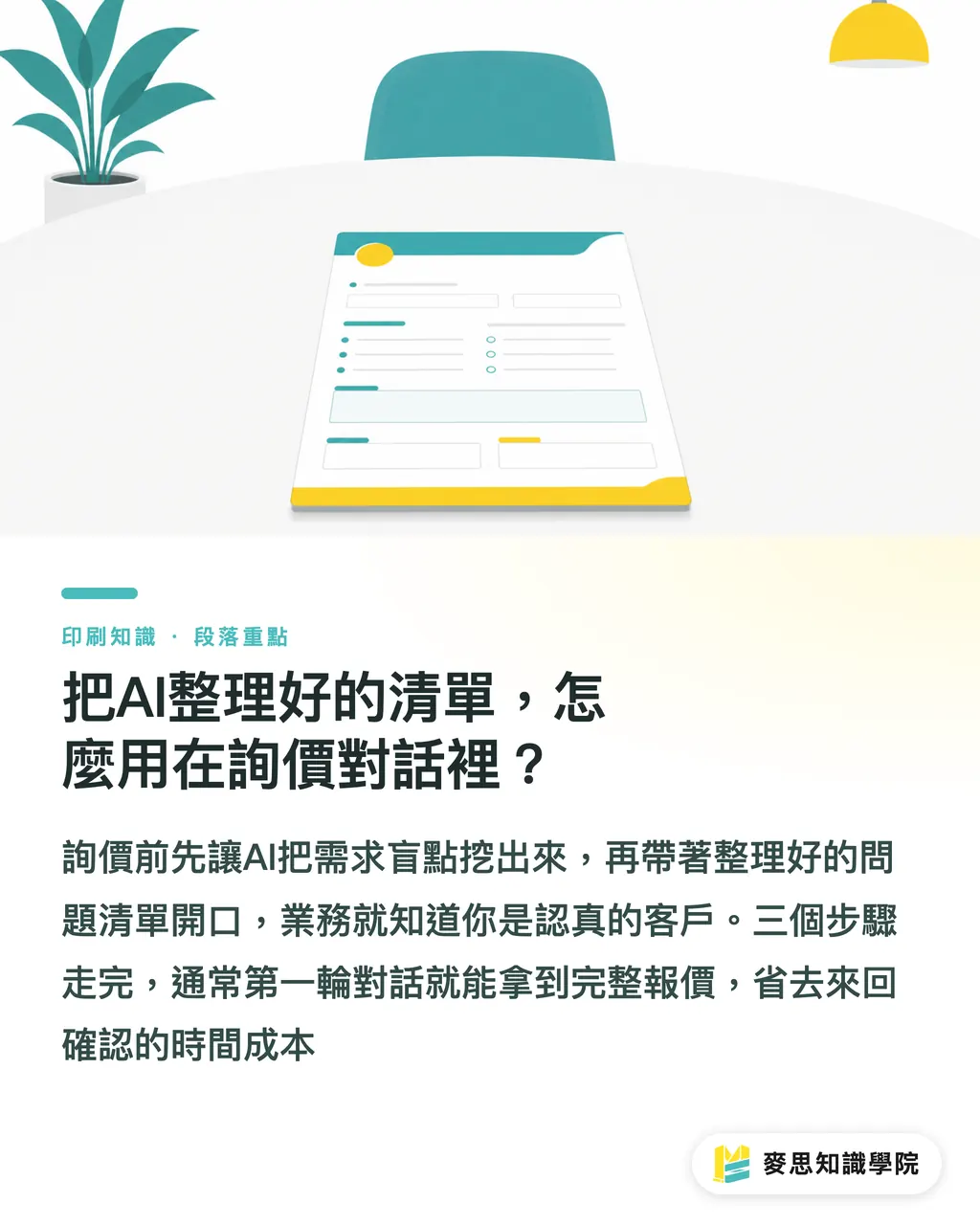
Pour accompagner ses clients dans leur processus de demande de devis, MINDS a développé une méthode simple en trois étapes :
・Step 1 : Rassembler les données brutes. Fournissez à l'IA l'objectif de l'événement, le contexte d'utilisation, la fourchette de quantité, les préférences approximatives de format, le délai de livraison impératif et les formats de fichiers disponibles pour obtenir une synthèse complète
・Step 2 : Identifier les points morts. Demandez à l'IA de l'aide pour lister clairement « les éléments restant à définir ». Validez cette liste en interne ou avec votre graphiste, plutôt que de laisser l'imprimeur s'apercevoir que vous avez omis ces aspects
・Step 3 : Envoyer la demande structurée. Lors de votre premier contact pour le devis, annoncez d'emblée : « Voici quelques points techniques de faisabilité que j'aimerais valider avec vous. » Le commercial comprendra immédiatement que vous maîtrisez votre sujet, ce qui améliorera la priorité et la qualité de son traitement
Grâce à ces trois étapes, le premier échange permet généralement d'obtenir un chiffrage complet et définitif, sans nécessiter de multiples allers-retours
Si vous doutez de la clarté de votre cahier des charges, l'équipe de consultants de la Académie du savoir Mai Strategy peut le relire avec vous afin de vérifier l'absence de variables critiques avant que vous ne consultiez vos prestataires
Synthèse des points clés
・La raison principale des nombreux allers-retours lors d'un devis n'est pas le manque d'efficacité de l'imprimeur, mais le caractère incomplet du cahier des charges initial
・Le principal intérêt de l'IA réside dans sa capacité à identifier les questions auxquelles vous n'aviez pas pensé, plutôt qu'à générer directement une fiche technique prête à l'emploi
・Format, support, finitions, quantité, délai, BAT, format de fichier, lieu de livraison : l'oubli de l'une de ces neuf dimensions peut générer un échange supplémentaire
・La liste technique générée par l'IA constitue un ensemble de points à valider ; les contraintes machine, les stocks de papier et la faisabilité des finitions doivent impérativement être confirmés par l'imprimeur
・Une liste de questions bien structurée montre au commercial que vous n'êtes pas un client amateur mais un professionnel averti, ce qui se traduit par une nette différence dans la qualité du service obtenu
Perspectives
L'objectif de cette approche n'est pas de remplacer le dialogue de devis par l'IA, mais d'utiliser cette dernière pour abaisser la barrière d'entrée vers une discussion technique. L'imprimerie est un secteur riche en savoirs implicites. Les commerciaux gèrent des dizaines de demandes quotidiennement ; un client dont la demande est claire obtiendra toujours un traitement plus rigoureux. C'est une règle tacite de la profession
Pour les graphistes, il est recommandé d'intégrer cette démarche avec l'IA dans la routine de chaque projet. C'est particulièrement utile face à des briefs vagues tels que « le client souhaite un flyer d'environ format A5 ». Structurer les questions avec l'IA avant de consulter le client est bien plus efficace que de lui demander de but en blanc : « Quel grammage de papier souhaitez-vous ? »
Pour les acheteurs, cette liste sert également d'historique de validation interne. En impression, les litiges proviennent souvent d'un malentendu du type « je pensais que vous saviez ce que je voulais ». Archiver la liste structurée par l'IA comme référence écrite avant le lancement en production permet de conserver une trace en cas d'écart de perception ultérieur
FAQ
- Faut-il impérativement valider toutes les spécifications techniques avant de contacter l'imprimeur ?
- Non, pas nécessairement. L'important est de savoir distinguer les éléments dont vous êtes sûr de ceux qui restent à définir. Présenter ces deux listes lors de votre demande de devis pour que l'imprimeur vous guide sur les points incertains est bien plus efficace que de simplement demander : « Je souhaite imprimer des flyers »
- Peut-on passer commande directement avec la fiche technique générée par l'IA ?
- Non. L'IA ne peut pas connaître les limites des machines de l'imprimeur, l'état actuel de ses stocks de papier ni ses procédés de façonnage. La fiche technique de l'IA n'est qu'une base de discussion. Elle doit être validée par l'imprimeur quant à sa faisabilité et ses conditions tarifaires avant de devenir un bon de commande officiel
- Est-il possible d'obtenir un devis sans disposer de la maquette graphique ?
- Oui, à condition d'être transparent. Indiquez à l'imprimeur : « La création graphique est en cours, nous souhaiterions obtenir une estimation budgétaire selon ces spécifications ». L'imprimeur pourra alors vous proposer une fourchette de prix, avant d'établir le devis définitif une fois le fichier reçu. Vouloir un prix ferme sans fichier est souvent source d'incompréhension et de perte de temps
- La réalisation d'un BAT physique est-elle obligatoire ?
- Pas systématiquement, mais elle est fortement recommandée dans trois cas : pour un volume d'impression important avec un nouveau prestataire, en présence de teintes spécifiques ou de couleurs de marque nécessitant un calage précis, ou lors de projets utilisant des supports spéciaux ou des finitions complexes. Renseignez-vous sur le coût et le délai d'obtention de ce BAT physique dès l'étape du devis pour éviter les surprises lorsque les délais de livraison se resserrent
- Quel format de fichier est le plus adapté pour demander un devis ?
- Au stade de l'estimation, un fichier d'exécution n'est pas nécessaire. Un PDF basse définition pour visualisation ou une simple capture d'écran du projet suffisent pour que l'imprimeur cerne vos besoins. Le document final d'exécution (avec fonds perdus, colorimétrie CMYK, résolution de 300 DPI minimum) ne sera requis qu'au moment de valider la commande. Séparer ces deux étapes évite bien des complications
Articles associés

L'hebdo Impression × IA
Le savoir-faire en impression et IA que designers, marques et entreprises peuvent utiliser avant de s'engager, condensé dans un email, chaque semaine dans votre boîte de réception
Outils gratuits MINDS
AI background removal, brand stamping, and a LINE sticker maker — free design tools, right in your browser, no upload.
Groupe MINDS
Besoin de services d'impression ou de cadeaux concrets ?
Une fois la lecture terminée, laissez la suite aux marques sœurs du Groupe MINDS — de l'impression haut de gamme à la commande en ligne et aux cadeaux de fêtes